
Dell OptiPlex 3020M/9020M Quick Start Guide
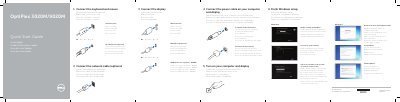
This multilingual Quick Start Guide covers initial setup for the Dell OptiPlex 3020M and OptiPlex 9020M desktop computers. It explains how to connect the keyboard, mouse, network cable, display, and power cables, then turn on the system and complete Windows 7 or Windows 8 setup.
The guide also lists product features such as USB 3.0 and USB 2.0 connectors, DisplayPort, VGA, HDMI, serial and PS/2 ports, and the service tag. It includes regulatory model information, support contacts at dell.com/support, and instructions to register the computer.
| Regulatory model (OptiPlex 3020M) | D08U |
|---|---|
| Regulatory model (OptiPlex 9020M) | D09U |
| Regulatory type (OptiPlex 3020M) | D08U001 |
| Regulatory type (OptiPlex 9020M) | D09U001 |
| Input voltage | 19.5 VDC |
| Maximum input current | 3.34 A |
Connect the keyboard and mouse using the USB connector or the optional PS/2 connector.
Setup instructions are provided for Windows 8 and Windows 7, including security, updates, network connection, and user accounts.
The regulatory model for the OptiPlex 9020M is D09U.