
Key facts
- Brand
- DELL
- Model
- PowerConnect W-6000
- Category
- Network Switches
- Documents
- 15
- Languages
- ZH · EN · PT · JA · KO · ES
- Last added
- 2026-11-11
Start here
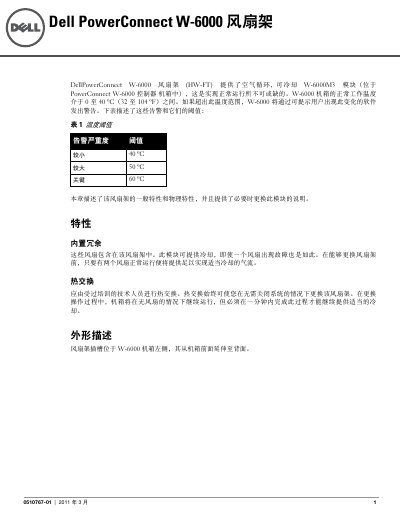
Dell PowerConnect W-6000 Fan Tray (HW-FT) Installation Guide
This document is the installation guide for the fan tray (HW-FT) of the Dell PowerConnect W-6000 controller chassis. The fan tray provides cooling for the W-6000M3 module and is required for normal operation; the W-6000 chassis operating temperature range is 0 to 40 °C (32 to 104 °F), and the software raises warnings when temperature thresholds are exceeded. The guide describes the tray's general and physical features, including built-in redundancy (three independent fans), hot-swapping, the tray slot location, and the status LED indications.
It then gives step-by-step instructions for replacing the fan tray: preparing the new tray, loosening the captive screws, separating and removing the old tray, inserting and seating the new one, and securing it. Because the W-6000 has no shutdown function, a hot-swap replacement must be completed within one minute; if two or more fans fail (amber/red LED), the chassis must be shut down and cooled before restart. The document closes with safety and regulatory notices (FCC Part 15, Canadian ICES-003), Dell support links, and copyright/legal statements noting the product is sourced from Aruba Networks. This manual is written in Chinese.
Dell PowerConnect W-6000 specifications
| Chassis operating temperature | 0 to 40 °C (32 to 104 °F) |
|---|---|
| Minor temperature alarm | 40 °C |
| Major temperature alarm | 50 °C |
| Critical temperature alarm | 60 °C |
| Fans per tray | 3 independent fans |
| Hot-swap time limit | 1 minute |
| Fan tray slot location | Left side of the W-6000 chassis, extending from front to back |
Source: Dell PowerConnect W-6000 Fan Tray (HW-FT) Installation Guide
All Dell PowerConnect W-6000 documents by type
Mounting, wiring and first power-up. Read it before the hardware goes in.
- Dell PowerConnect W-6000 Fan Tray (HW-FT) Installation Guide 6 p
- Dell PowerConnect W-6000 Power Supply Installation Guide 6 p
- Dell PowerConnect W-6000 Installation Guide 6 p
- Dell PowerConnect W-6000 Controller Installation Guide 394 p
- Dell PowerConnect W-6000 Fan Tray Installation Guide 6 p
- Dell PowerConnect W-6000 Fan Tray Installation Guide 6 p
- Dell PowerConnect W-6000M3 Controller Module Installation Guide 124 p
- Dell PowerConnect W-6000 Power Supply Installation Guide 6 p
- Dell PowerConnect W-6000 Fan Tray Installation Guide 6 p
- Dell PowerConnect W-6000 Fan Tray Installation Guide 6 p
- Dell PowerConnect W-6000 Power Supply Installation Guide 8 p
- Dell PowerConnect W-6000 Fan Tray Installation Guide 6 p
- Dell PowerConnect W-6000 Fan Tray Installation Guide 6 p
- Dell PowerConnect W-6000 Power Supply Installation Guide 6 p
- Dell PowerConnect W-6000 Controller Installation Guide 394 p
Questions answered in these manuals
What does the fan tray status LED mean when it is amber?
An amber LED means one fan has failed, but the remaining two fans can still provide adequate cooling until the fan tray is replaced.
From: Dell PowerConnect W-6000 Fan Tray (HW-FT) Installation Guide
What should I do if two or more fans in the tray fail?
Shut down the W-6000, replace the fan tray, let the chassis cool for at least five minutes, then power it back on.
From: Dell PowerConnect W-6000 Fan Tray (HW-FT) Installation Guide
How many power supplies can the W-6000 chassis support?
The W-6000 can support up to three 400 W power supplies.
From: Dell PowerConnect W-6000 Power Supply Installation Guide
What AC input voltage range does the power supply accept?
It accepts 85 to 264 VAC.
From: Dell PowerConnect W-6000 Power Supply Installation Guide
What does the LED indicator status mean?
If the LED is off, the cooling module is not operating; if the LED is on, the module is operating normally; if the LED is amber, a fault has occurred and the module should be replaced.
Can the switch operate without a cooling module?
No, the switch will stop operating if a cooling module fails.