
Dell Latitude 5289 2-in-1 Quick Start Guide
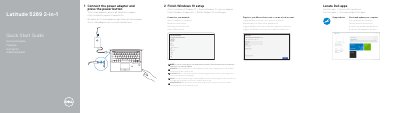
This guide covers initial setup of the Dell Latitude 5289 2-in-1, including connecting power, completing Windows 10 setup, connecting to a network, signing in, locating Dell apps, and using SupportAssist.
It also identifies the computer's external features and ports, including optional components, and provides product support and regulatory information.
Connect the power adapter and press the power button.
Visit Dell.com/support or Dell.com/support/manuals.
Optional features include an IR camera, fingerprint reader, NFC sensor, and smart card reader.