
Key facts
Start here
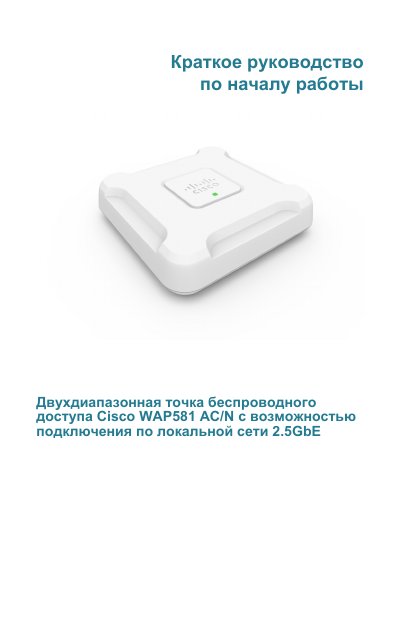
Cisco WAP581 2.5GbE Wireless Access Point Quick Start Guide
This document is the Quick Start Guide for the Cisco WAP581 AC/N dual-band wireless access point, featuring 2.5GbE Ethernet connectivity and Power over Ethernet (PoE) support. It is designed to help users set up the device for indoor use with minimal steps. This manual is written in Russian.
Read onlineCisco WAP581 specifications
| Ethernet ports | Two RJ-45 ports |
|---|---|
| PoE/data port | 2.5 GbE with PoE |
| LAN port | Gigabit Ethernet |
| Default login | cisco / cisco |
| Default reserved LAN IP | 192.168.1.245 |
| Subnet mask | 255.255.255.0 |
| Default Wi-Fi SSID | Cisco SB-Setup |
| Default Wi-Fi password | cisco 123 |
| Wi-Fi security | WPA2-PSK AES |
| Ambient temperature | Do not exceed 104°F (40°C) |
| Mounting hole spacing | 2.75 in (70 mm) |
| Browser support | Internet Explorer 9.0 or later |
| Mounting | Desktop, wall, or ceiling |
Source: Cisco WAP581 Wireless-AC/N Dual-Radio Access Point with 2.5 GbE LAN Quick Start Guide
All Cisco WAP581 documents by type
The shortest path to a working setup, usually only a few pages.
Questions answered in these manuals
What is the Cisco WAP581?
It is a dual-band wireless access point.
From: Cisco WAP581 2.5GbE Wireless Access Point Quick Start Guide
What are the default username and password?
Both are cisco.
From: Cisco WAP581 2.5GbE Wireless Access Point Quick Start Guide
What are the default login credentials?
The default username and password are both cisco.
From: Cisco WAP581 Wireless-AC/N Dual-Radio Access Point with 2.5 GbE LAN Quick Start Guide
What is the default Wi-Fi network name and password?
The default SSID is “Cisco SB-Setup” and the password is “cisco 123”.
From: Cisco WAP581 Wireless-AC/N Dual-Radio Access Point with 2.5 GbE LAN Quick Start Guide