
Key facts
- Brand
- Canon
- Model
- A75
- Category
- Digital cameras
- Industry
- Electronics
- Documents
- 2
- Languages
- ZH
- Last added
- 2000-01-01
Start here
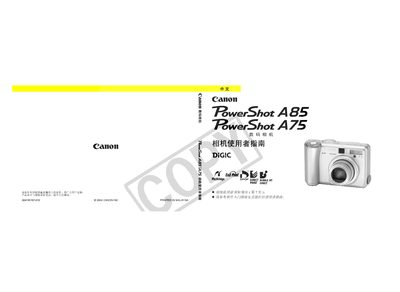
Canon PowerShot A85/A75 Digital Camera Reference Manual
This manual covers all basic and advanced functions of the PowerShot A85/A75, including shooting modes, LCD usage, video output settings, and menu navigation. It includes step‑by‑step instructions, diagrams, and a full table of contents to help users find information quickly.
Additional sections address camera care, battery performance, accessory compatibility, and troubleshooting. Safety notices and warranty limitations are also provided, emphasizing the use of genuine Canon accessories. This manual is written in Chinese.
Canon A75 specifications
| Effective pixels | ≈ 3.2 MP |
|---|---|
| Image sensor | 1/2.7‑inch CCD, ≈ 3.3 MP |
| Lens focal length | 5.4‑16.2 mm (35 mm equiv. 35‑105 mm) |
| Maximum aperture | f/2.8‑f/4.8 |
| Digital zoom | ≈ 3.2× (up to 10× with optical zoom) |
| LCD screen | 1.8‑inch TFT, ≈ 118 k pixels |
| Autofocus points | 9‑point intelligent AF |
All Canon A75 documents by type
Day-to-day operation, settings and troubleshooting. Start here if the product is already set up.
Questions answered in these manuals
What types of batteries can be used with this camera?
Only AA alkaline batteries or Canon AA NiMH rechargeable batteries (NB4‑200) are supported; other types are not recommended.
How can I reset all camera settings to their defaults?
All menu and button changes can be reset to default values (except date/time, language, and video output settings) with a single operation.
How can I reset the camera settings to default?
You can reset all menu and button settings to default values, except date/time, language, and video output format, via the reset option in the menu.
From: Canon PowerShot A85/A75 Digital Camera Reference Manual
Where can I change the language setting on the camera?
The language setting can be changed on page 24 of the manual.
From: Canon PowerShot A85/A75 Digital Camera Reference Manual