
Key facts
- Brand
- Yamaha
- Model
- LS9
- Documents
- 8
- Languages
- EN · JA
- Last added
- 2012-06-11
Start here
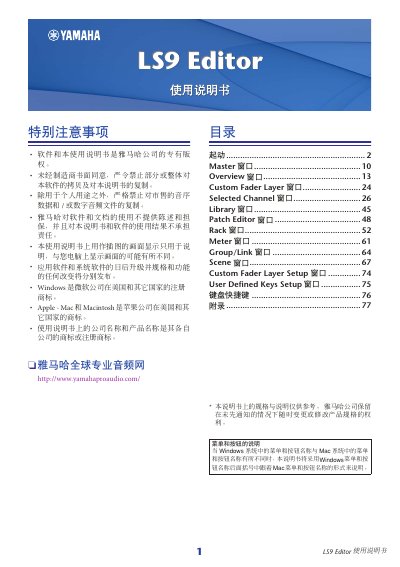
Yamaha LS9 Editor User Manual
The Yamaha LS9 Editor is a PC-based application that allows users to configure parameters for the LS9 audio mixer. To use it effectively, the user must first set up the Studio Manager and then establish a connection with the LS9 unit via USB or network. The software enables remote control of channels, scenes, libraries, and system settings. This manual is written in Japanese.
Read onlineYamaha LS9 specifications
| Maximum audio files displayed | 300 |
|---|---|
| Offset time range | 0-99 seconds in 0.5 second units |
| Supported audio formats | MP3, WMA, AAC |
All Yamaha LS9 documents by type
Day-to-day operation, settings and troubleshooting. Start here if the product is already set up.
Mounting, wiring and first power-up. Read it before the hardware goes in.
How to use the product for one specific task, with worked examples.
Questions answered in these manuals
Where must audio files be saved for playback?
Audio files must be saved in the SONGS folder within the YPE folder.
Can you play audio files during recording?
No, you cannot play back during recording or in record-ready mode.
What is the DME-N Network Driver used for?
It is software that transfers MIDI data back and forth between your computer and the hardware via Ethernet cable.
Can I connect the computer to the LS9 directly?
Yes, when connecting directly, you can use either a crossover or straight cable.
What is the purpose of the StageMix app?
It provides remote control of Yamaha LS9 digital mixing console functions via a simple, intuitive graphical interface from anywhere within wireless range.
From: Yamaha LS9 Digital Mixing Console StageMix App User Guide
What happens if the connection to the console is lost?
StageMix displays a message and automatically attempts to reconnect; operation resumes once synchronization with the console data is complete.
From: Yamaha LS9 Digital Mixing Console StageMix App User Guide