
Key facts
Start here
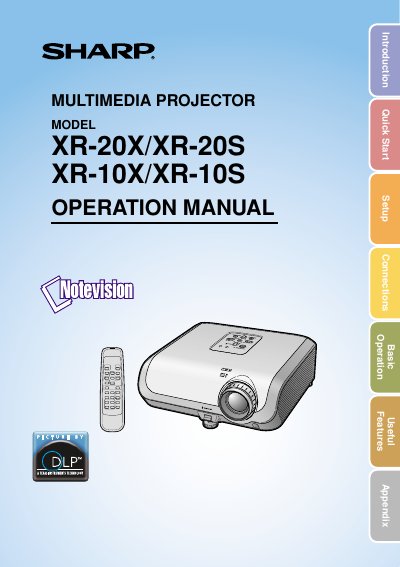
Sharp XR-20X/XR-20S/XR-10X/XR-10S Multimedia Projector Operation Manual
This operation manual covers all aspects of installing, configuring and operating the Sharp XR‑20X/XR‑20S/XR‑10X/XR‑10S multimedia projector. It includes quick‑start steps, detailed menu adjustments, RS‑232C control, lamp replacement procedures and troubleshooting guidance.
Safety information, electrical specifications, environmental disposal instructions and a full list of technical specifications are provided to ensure reliable performance and compliance with regulatory requirements.
Sharp XR-10S specifications
| Resolution (XR‑20X/XR‑10X) | 786,432 dots (1024 × 768) |
|---|---|
| Resolution (XR‑20S/XR‑10S) | 480,000 dots (800 × 600) |
| Weight | 8.6 lb (3.9 kg) |
| Dimensions (main body only) | 315 × 109 × 280 mm |
Source: Sharp XR-20X/XR-20S/XR-10X/XR-10S Multimedia Projector Operation Manual
All Sharp XR-10S documents by type
Day-to-day operation, settings and troubleshooting. Start here if the product is already set up.
Questions answered in these manuals
What should I do if the projector does not turn off immediately?
The cooling fan continues to run for about 90 seconds after the projector enters standby mode. Ensure the cooling fan has stopped before disconnecting the power cord.
From: Sharp XR-20X/XR-20S/XG-MB50X/XR-10S Multimedia Projector Operation Manual
Can I turn off the projector by unplugging it during operation?
No, you should never turn the projector off by disconnecting the power cord during normal operation as this will result in premature lamp failure.
From: Sharp XR-20X/XR-20S/XG-MB50X/XR-10S Multimedia Projector Operation Manual
How should the mains plug be replaced for this projector?
Replace the non‑rewireable moulded plug with a BS 1362‑type plug that includes a 10 A fuse, following the instructions in the manual.
From: Sharp XR-20X/XR-20S/XR-10X/XR-10S Multimedia Projector Operation Manual
What is the correct way to power off the projector during normal operation?
Use the standby/on button; never disconnect the power cord while the cooling fan is still running.
From: Sharp XR-20X/XR-20S/XR-10X/XR-10S Multimedia Projector Operation Manual
What type of plug is fitted on the mains lead for UK users?
The mains lead is fitted with a non‑rewireable (moulded) plug that includes a 10 A fuse.
From: Sharp XR-20X/XR-20S XR-10X/XR-10S Projector User Manual
How should the wires in the mains lead be connected?
Green‑and‑yellow wire to the earth terminal, blue wire to the neutral terminal, and brown wire to the live terminal.
From: Sharp XR-20X/XR-20S XR-10X/XR-10S Projector User Manual