
Key facts
- Brand
- Sharp
- Model
- ER-A520
- Category
- Office Equipment
- Industry
- Computers
- Documents
- 3
- Languages
- EN
- Last added
- 2012-08-02
Start here
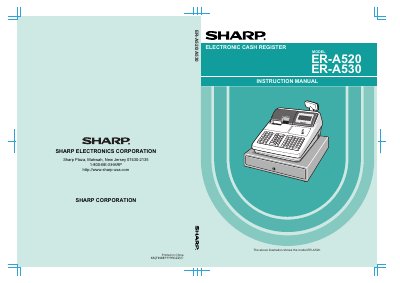
Sharp ER-A520/ER-A530 Electronic Cash Register Instruction Manual
This manual provides comprehensive instructions for the Sharp ER-A520 and ER-A530 electronic cash registers. It covers safety precautions, external views, and detailed operational procedures for cashiers, including item entries, tax calculations, and finalization of transactions.
The guide also includes extensive programming instructions for managers to configure the register. Topics include setting dates and times, programming departments, PLU/UPC codes, discount keys, and various functional settings such as high amount lockouts and server/cashier codes.
Sharp ER-A520 specifications
| Power Requirement | 120V +10% AC |
|---|---|
| Device Class | Class A digital device |
| Memory Protection | Built-in memory protection circuit |
Source: Sharp ER-A520/ER-A530 Electronic Cash Register Instruction Manual
All Sharp ER-A520 documents by type
Day-to-day operation, settings and troubleshooting. Start here if the product is already set up.
Instruction set, parameters and examples for configuring or programming the device.
Questions answered in these manuals
What are the recommended conditions for installing the register?
Install the register in a location not subject to direct radiation, unusual temperature changes, high humidity, or exposed to water sources.
From: Sharp ER-A520/ER-A530 Electronic Cash Register Instruction Manual
Can the register be operated by someone with wet hands?
No, the register should not be operated by an individual with wet hands to prevent water from seeping into the interior.
From: Sharp ER-A520/ER-A530 Electronic Cash Register Instruction Manual
What is the code listed in the Sharp programming manual?
The code is 00ZERA520UPME.
From: Sharp ER-A520/ER-A530 Electronic Cash Register Programming Manual
Which chapter covers service mode programming?
Chapter 3 covers Service Mode Programming.
From: Sharp ER-A520/ER-A530 Electronic Cash Register Programming Manual
Where should the cash register be installed to avoid damage?
Install it away from direct radiation, extreme temperature changes, high humidity, and water sources.
From: Sharp ER-A520/A530 Electronic Cash Register Instruction Manual
What power source does the register require?
It plugs into a standard 120 V ±10 % AC wall outlet with a dedicated ground circuit.
From: Sharp ER-A520/A530 Electronic Cash Register Instruction Manual