
Key facts
- Brand
- Konica Minolta
- Model
- 1600W
- Category
- Printer
- Industry
- Electronics
- Documents
- 4
- Languages
- EN · ZH · JA
- Last added
- 2026-11-20
Start here
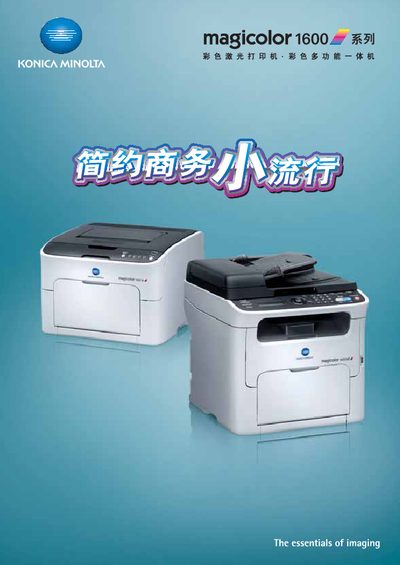
Konica Minolta magicolor 1600W/1650EN User Manual
The magicolor 1600W and 1650EN are compact, stylish color laser printers designed for small‑office environments. They offer fast printing speeds, high‑resolution output, and a range of functions such as copying, scanning, and faxing.
This manual covers installation, network and USB connectivity, printing options (watermark, economy mode, multi‑page layouts), consumable replacement, optional accessories, technical specifications, and troubleshooting steps for common issues like toner depletion and paper jams. This manual is written in Chinese.
Konica Minolta 1600W specifications
| Print speed | Up to 20 ppm monochrome; up to 5 ppm colour |
|---|---|
| First page out | 11 seconds monochrome; 20 seconds colour |
| Warm-up time | Average 30 seconds |
| Max. resolution | 1,200 x 600 dpi x 1 bit |
| Memory | 16 MB standard |
| Interface | USB 2.0 |
| Standard paper input | 200 sheet multi manual tray |
| Physical dimensions | 396 mm x 380 mm x 275 mm |
| Weight | 15.1 kg with consumables |
| Input voltage | 220 ~ 240 V |
| Power consumption | 400 W or less average colour printing |
| Noise levels | 49 dB or less operating colour |
| Warranty | 1 year on-site warranty within EU |
Source: Konica Minolta magicolor 1600W A4 Colour Printer Product Leaflet
All Konica Minolta 1600W documents by type
Day-to-day operation, settings and troubleshooting. Start here if the product is already set up.
Mounting, wiring and first power-up. Read it before the hardware goes in.
Questions answered in these manuals
What are the print speeds of the Konica Minolta magicolor 1600W?
It prints up to 20 ppm monochrome and up to 5 ppm colour.
From: Konica Minolta magicolor 1600W A4 Colour Printer Product Leaflet
Which operating systems are compatible with the printer?
It supports Windows 2000, Server 2003, XP and Vista in 32-bit and 64-bit versions.
From: Konica Minolta magicolor 1600W A4 Colour Printer Product Leaflet
Can the printer continue printing when the color toner is empty?
Yes, it can continue printing in black as long as black toner remains.
How does the magicolor 1600W help save paper?
It supports multi‑page printing (2, 4, 6, 9, 16 pages per sheet) to reduce paper usage.
Can I keep printing in black and white when the color toner is empty?
Yes, you can continue printing black‑white documents as long as the black toner remains, even if the color toner is depleted.
How do I register a fax quick‑dial address?
Use PageScope Web Connection to register up to 20 common addresses and up to 220 quick‑dial numbers; groups of up to 20 can also be created.