
Key facts
- Brand
- Konica Minolta
- Model
- bizhub C3110
- Category
- Printer
- Industry
- Electronics
- Documents
- 2
- Languages
- ZH · EN
- Last added
- 2026-11-19
Start here
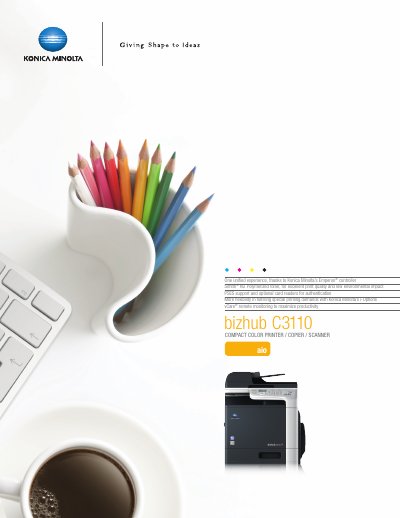
Konica Minolta bizhub C3110 All-in-One Printer User Manual
The bizhub C3110 is a compact, all-in-one color printer, copier, and scanner designed for office use. It features an Emperon® controller and Simitri® HD toner for high-quality output. The device supports up to 32 pages per minute and includes optional features like Super G3 fax, ID card readers, and wireless connectivity. It is compatible with Windows, Mac, and Linux operating systems and offers secure printing and network management tools.
The system includes 1 GB of standard memory and an optional 320 GB hard drive. It supports paper sizes from 4" x 6" to 8.5" x 14" and can handle up to 850 sheets in total. Copying and printing functions are supported with up to 32 ppm speed and 600 x 600 dpi resolution. Scanning capabilities include multiple output formats and network sharing options. This manual is written in Chinese.
Konica Minolta bizhub C3110 specifications
| Print Speed | Up to 32 ppm (Letter, mono/color) |
|---|---|
| System Memory | 1 GB (standard) / 2 GB (maximum) |
| Hard Disk | 320 GB (optional) |
| Paper Input Capacity | Standard: 350 sheets Max.: 850 sheets |
| Print Resolution | 1,200 x 1,200 dpi, 600 x 600 dpi |
| Scan Speed | Up to 31 opm (mono/color) |
| Copy Resolution | 600 x 600 dpi |
| Toner Lifetime | Black: 6,000 pages / CMY: 6,000 pages |
| Imaging Unit Lifetime | Black: 30,000 pages / CMY: 30,000 pages |
| Power Consumption | Less than 900 W (system) |
| System Dimensions | 19.7" x 17.6" x 21.4" (H x W x D) |
| System Weight | Approx. 76 lb |
Source: Konica Minolta bizhub C3110 All-in-One Printer User Manual
All Konica Minolta bizhub C3110 documents by type
Day-to-day operation, settings and troubleshooting. Start here if the product is already set up.
Disassembly, diagnostics and part numbers, for repair.
Questions answered in these manuals
What is the maximum print speed of the bizhub C3110?
Up to 32 pages per minute (Letter, mono/color).
From: Konica Minolta bizhub C3110 All-in-One Printer User Manual
What operating systems are supported?
Windows (x32/x64): VISTA / 7 / 8, Windows Server (x32/x64): 2003 / 2012, Macintosh OS X 10.x or later, Linux.
From: Konica Minolta bizhub C3110 All-in-One Printer User Manual
What is the default CE password for the Service Mode?
The default CE password is set to "92729272".
From: Konica Minolta bizhub C3110/ineo+ 3110 Control Software Service Manual
What happens if the CE password is forgotten?
If the CE password is forgotten, replacement of the MFP board will initialize the setting values and turn "OFF" the Enhanced Security mode.
From: Konica Minolta bizhub C3110/ineo+ 3110 Control Software Service Manual