
Key facts
- Brand
- Konica Minolta
- Model
- C360
- Category
- copier
- Documents
- 2
- Languages
- EN · ZH
- Last added
- 2026-11-01
Start here
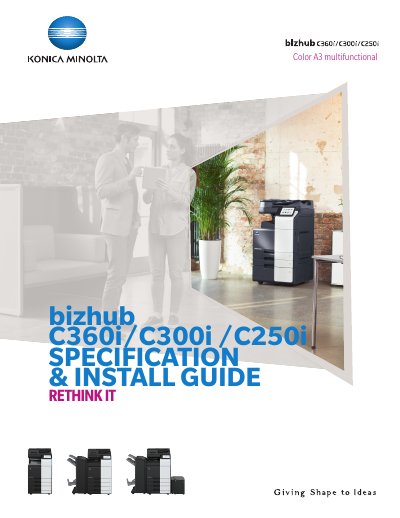
Konica Minolta bizhub C360i/C300i/C250i Specification & Install Guide
This document serves as a specification and installation guide for the Konica Minolta bizhub C360i, C300i, and C250i color A3 multifunctional printers. It details the technical specifications, including resolution, paper handling capabilities, and print speeds for each model.
The guide also covers environmental and electrical requirements necessary for installation, as well as information on standard and optional accessories such as automatic duplex units and document feeders. It includes space requirements and sample system configurations to assist in setup.
Konica Minolta C360 specifications
| Resolution (Scanning) | 600 x 600 dpi |
|---|---|
| Resolution (Printing) | 1200 x 1200 dpi |
| Memory (Standard) | 8 GB Solid State Drive |
| Hard Drive (Standard) | 256 GB |
| Weight | Approx. 185 lb. |
| Power Requirements | 120V, 12 A, 60 Hz |
| Duty Cycle (C360i) | Up to 175,000 |
| Duty Cycle (C300i) | Up to 150,000 |
| Duty Cycle (C250i) | Up to 130,000 |
| Print Speed (C360i, Plain Paper) | 36 sheets/min |
| Print Speed (C300i, Plain Paper) | 30 sheets/min |
| Print Speed (C250i, Plain Paper) | 25 sheets/min |
| Copy Exit Tray Capacity (Plain Paper) | 250 sheets |
Source: Konica Minolta bizhub C360i/C300i/C250i Specification & Install Guide
All Konica Minolta C360 documents by type
Day-to-day operation, settings and troubleshooting. Start here if the product is already set up.
Questions answered in these manuals
What is the maximum monthly copy/print volume for the bizhub C360i?
The maximum monthly copy/print volume supported for the bizhub C360i is up to 175,000.
From: Konica Minolta bizhub C360i/C300i/C250i Specification & Install Guide
What are the environmental temperature requirements for the bizhub series?
The operating temperature range is 50° F to 86° F.
From: Konica Minolta bizhub C360i/C300i/C250i Specification & Install Guide
How do I log in when public user authentication is enabled?
Press User Name List, select the user name, press OK, enter the password, press OK, then press Access.
How do I change the bypass tray paper size?
Press Basic, then Paper, select the bypass tray, choose the paper type, and enter the size.