
Key facts
- Brand
- Konica Minolta
- Model
- magicolor 7450I
- Category
- Printer
- Documents
- 4
- Languages
- ZH · EN
- Last added
- 2012-03-16
Start here
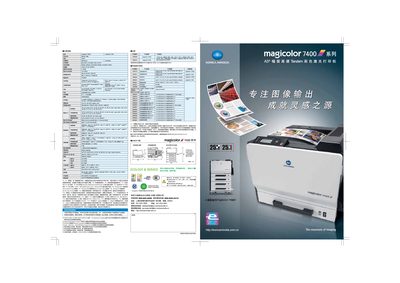
KONICA MINOLTA magicolor 7450II Manual
This manual covers the magicolor 7450I’s hardware specifications, paper handling options, connectivity, and supported operating systems. It also details installation steps, power requirements, and environmental guidelines.
Additional sections describe printing performance, consumable capacities, and troubleshooting tips to help users maintain optimal print quality and reliability. This manual is written in Chinese.
Konica Minolta magicolor 7450I specifications
| Maximum monthly print volume | 120,000 pages |
|---|---|
| Black‑and‑white print speed | 8.1 seconds per A4 |
| Print resolution | 600 × 600 dpi |
| Standard memory | 256 MB (max 1,024 MB) |
| Standard paper tray capacity | 350 sheets (up to 1,850 sheets with optional tray) |
| Supported operating systems | Windows, Macintosh, Linux |
| Maximum power consumption | 1,450 W (average 70 W, standby 130 W) |
All Konica Minolta magicolor 7450I documents by type
Day-to-day operation, settings and troubleshooting. Start here if the product is already set up.
Mounting, wiring and first power-up. Read it before the hardware goes in.
Questions answered in these manuals
What is the maximum paper capacity of the magicolor 7450I?
The standard paper tray holds 350 sheets, and an optional tray can increase capacity to 1,850 sheets.
Which operating systems can be used with this printer?
The printer supports Windows, Macintosh, and Linux operating systems.
What should I do with the packaging material after unpacking the printer?
Unless otherwise instructed, keep all packing materials in case you need to move or ship the printer later.
Where can I find safety information before installing the printer?
Consult the safety information in the General Information Guide before installing the printer.
How should I dispose of the packing material?
Dispose of the packing material according to your local regulations.
What safety information must I check before setting up the printer?
Examine the safety information in the Required Space guide before setting up the printer.