
Key facts
- Brand
- Konica Minolta
- Model
- bizhub 162
- Category
- copier
- Industry
- Electronics
- Documents
- 2
- Languages
- ZH
- Last added
- 2011-11-08
Start here
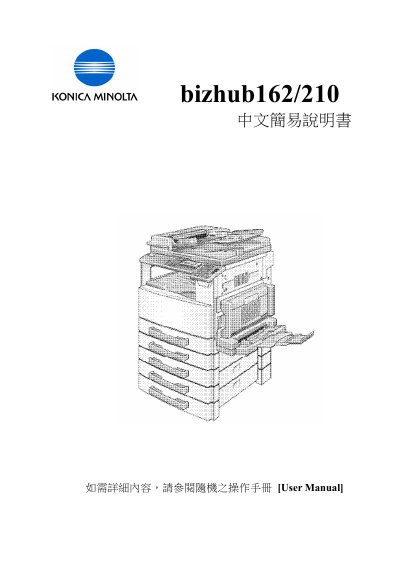
Konica Minolta bizhub 162/210 Copier Simplified Instruction Manual
This is the Chinese simplified instruction manual (中文簡易説明書) for the Konica Minolta bizhub 162/210. It states that for detailed information the user should refer to the User Manual supplied with the machine. The pages go through the names of the parts on the operation panel, then the main copy settings step by step with the key presses and display messages shown.
Covered operations include changing the paper size and type for the first tray and the manual bypass tray, fixed and manual zoom plus XY zoom, image mode and density, finishing, erase, book separation, negative/positive, file margin, duplex copying, 2-in-1 and 4-in-1 copying, fax one-touch key registration and reports, and error messages such as paper jam and toner empty. The last page lists Konica Minolta Business Solutions (HK) Limited service and enquiry telephone numbers. This manual is written in Chinese.
Konica Minolta bizhub 162 specifications
| Zoom ratio range | 0.5 to 2.0 |
|---|---|
| XY zoom ratio range | 0.5 to 1.0 |
| Custom paper size X range | 149 to 432 mm |
| File margin width | 10 mm |
| Fax one-touch key numbers | 01 to 27 |
Source: Konica Minolta bizhub 162/210 Copier Simplified Instruction Manual
All Konica Minolta bizhub 162 documents by type
Day-to-day operation, settings and troubleshooting. Start here if the product is already set up.
Questions answered in these manuals
How do I change the paper size and type for Tray 1?
Press Utility, press [2] to select Paper Source Setup and Tray 1 Paper, choose Plain/OHP/Card/Envelope, then select Size Input and enter the X and Y dimensions, confirming each with Yes.
From: Konica Minolta bizhub 162/210 Copier Simplified Instruction Manual
How do I make 2-in-1 copies?
Place all originals in the automatic document feeder, press the copy select key until the 2in1 lamp lights, then press the copy key.
From: Konica Minolta bizhub 162/210 Copier Simplified Instruction Manual