
Key facts
- Brand
- Konica Minolta
- Model
- PagePro 1380 MF
- Category
- Printer
- Industry
- Computers
- Documents
- 3
- Languages
- EN · ZH
- Last added
- 2012-03-16
Start here
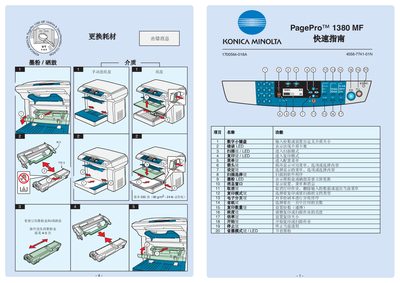
Konica Minolta PagePro 1380 MF Quick Start Guide
This quick guide provides essential instructions for operating the Konica Minolta PagePro 1380 MF. It covers basic functions such as printing, scanning, copying, and the use of LED indicators for status monitoring.
The guide also explains how to cancel a print job, monitor toner levels, and adjust common settings like paper size and scaling. It is intended for users who need fast, step‑by‑step directions to get the device up and running. This manual is written in Chinese.
Konica Minolta PagePro 1380 MF specifications
| Print resolution (B&W) | 600 × 600 dpi |
|---|---|
| Print resolution (color) | 1200 dpi |
| Interface | USB 2.0 High‑Speed |
| Maximum power consumption | < 900 W |
| Noise level | < 58 dB(A) |
| Operating temperature | 10 °C – 35 °C |
| Operating humidity | 15 % – 85 % RH |
| Dimensions (W × D × H) | 492 mm × 465 mm × 369 mm |
| Supported paper sizes | A4, A5, A6, A4 Plus, Letter, Legal, B5, etc. |
Source: Konica Minolta PagePro 1380MF/1390MF Laser Multi-Function All-in-One Manual
All Konica Minolta PagePro 1380 MF documents by type
Day-to-day operation, settings and troubleshooting. Start here if the product is already set up.
The shortest path to a working setup, usually only a few pages.
Mounting, wiring and first power-up. Read it before the hardware goes in.
Questions answered in these manuals
Which interface does the device use for computer connections?
It uses a USB 2.0 High‑Speed interface.
From: Konica Minolta PagePro 1380MF/1390MF Laser Multi-Function All-in-One Manual
What are the operating temperature limits?
The device operates between 10 °C and 35 °C.
From: Konica Minolta PagePro 1380MF/1390MF Laser Multi-Function All-in-One Manual
How do I cancel a print job?
Press the Cancel button to stop the current print job and clear the data.
How can I check the toner level?
The toner level is shown by the LED indicator on the device.