
Key facts
- Brand
- Konica Minolta
- Model
- 4750DN
- Category
- Printer
- Industry
- Appliances
- Documents
- 2
- Languages
- ZH · JA
- Last added
- 2012-03-16
Start here
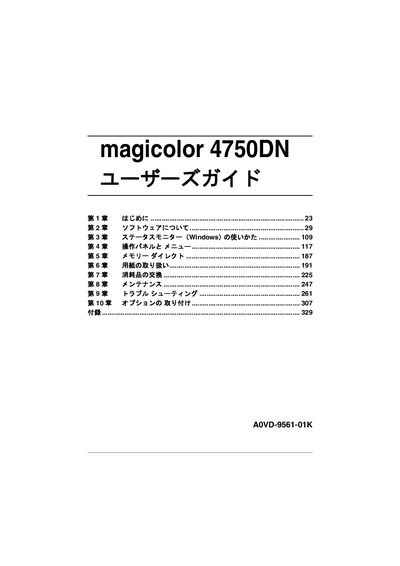
Konica Minolta magicolor 4750DN User Guide
This guide introduces the magicolor 4750DN printer, a color laser printer designed for Windows and Macintosh environments. It covers software installation, status monitoring, and basic operation of the control panel.
The manual includes sections on paper handling, consumable replacement, routine maintenance, troubleshooting, and optional accessories such as paper trays and memory modules. Detailed instructions for the Windows status monitor, memory direct, and error messages are also provided. This manual is written in Japanese.
Konica Minolta magicolor 4750DN specifications
| Printing speed (3730DN) | 24 pages/min |
|---|---|
| Memory (standard) | 32 MB |
| Maximum memory | 256 MB (up to 768 MB) |
| Ethernet interface | 10/100/1000Base‑T |
| USB interface | USB 2.0 (high speed) |
| Maximum power consumption | 1100 W |
Source: Konica Minolta magicolor 3730DN / 4750EN / 4750DN User Manual
All Konica Minolta magicolor 4750DN documents by type
Day-to-day operation, settings and troubleshooting. Start here if the product is already set up.
Questions answered in these manuals
What is the printing speed of the magicolor 3730DN?
The magicolor 3730DN prints at 24 pages per minute.
From: Konica Minolta magicolor 3730DN / 4750EN / 4750DN User Manual
What network interfaces does the magicolor series support?
It supports 10/100/1000Base‑T Ethernet and USB 2.0 high‑speed connections.
From: Konica Minolta magicolor 3730DN / 4750EN / 4750DN User Manual
What operating systems are supported by the magicolor 4750DN?
The printer works with Windows and Macintosh environments.
Where can I find instructions for using the Windows status monitor?
See the "ステータスモニター (Windows) の使いかた" section of the guide.