
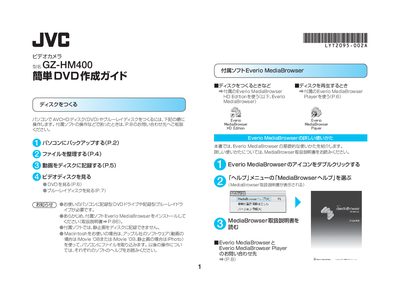
The guide explains the steps to back up video and still‑image files from the GZ‑HM400 to a computer via USB, using the included Everio MediaBrowser software. It covers preparing the computer, organizing files, and selecting the appropriate disc type (AVCHD DVD, DVD‑Video, or Blu‑ray).\n\nIt then details how to create a disc, choose titles, set background images, and burn the disc. Playback instructions for AVCHD DVDs, DVD‑Video discs, and Blu‑ray discs are provided, along with notes on compatible players and troubleshooting tips. This manual is written in Japanese.
| Video file extension | .MTS |
|---|---|
| Image file extension | .JPG |
| Supported disc types | AVCHD DVD, DVD‑Video, Blu‑ray |
Connect the camcorder to the PC with the USB cable, press the power button for more than 5 seconds, then select “バックアップする” in Everio MediaBrowser.
No. The guide states that still images cannot be recorded to a disc.
You can create AVCHD DVDs, standard DVD‑Video discs, and Blu‑ray discs.