
Key facts
Start here
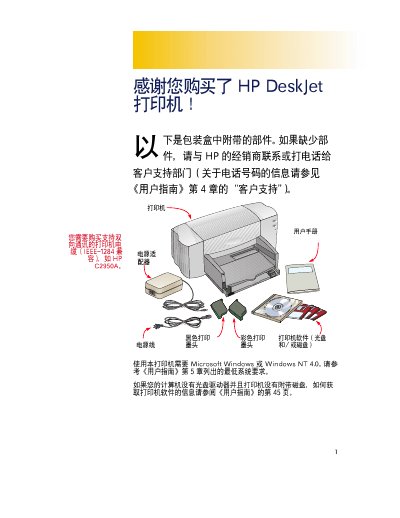
HP DeskJet C2950A Printer User Manual
The HP DeskJet C2950A printer manual explains the required system environment, including compatibility with Microsoft Windows or Windows NT 4.0 and IEEE‑1284 interface. It also lists the printer’s components such as black and color ink cartridges (HP 51645G, HP 51645A) and describes the packaging and recycling information.
Installation steps cover removing packaging, inserting the ink cartridges, connecting the printer to the computer, and verifying the indicator lights. The guide also includes safety notes and troubleshooting tips for common issues during setup and use. This manual is written in Chinese.
HP JETC2950A specifications
| Interface | IEEE‑1284 compatible |
|---|---|
| Supported Operating Systems | Microsoft Windows or Windows NT 4.0 |
| Power Consumption | 4.5 W |
All HP JETC2950A documents by type
Day-to-day operation, settings and troubleshooting. Start here if the product is already set up.
Questions answered in these manuals
Which operating systems are required for the HP DeskJet C2950A?
The printer works with Microsoft Windows or Windows NT 4.0.
What interface does the printer use?
The printer uses an IEEE‑1284 compatible parallel interface.