
The document provides information about different models of HP DeskJet printers and their features, including supported paper types, print quality, and compatible operating systems. The document also provides information about the HP printer's customer support website.
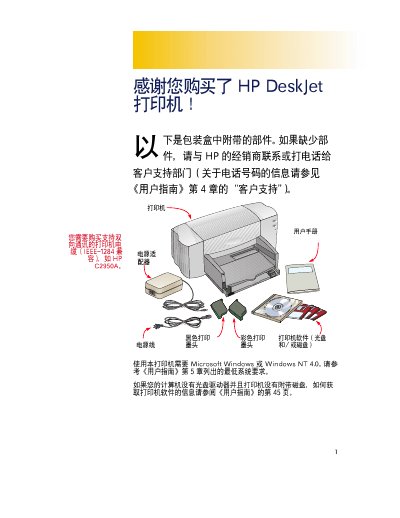
The HP DeskJet C2950A printer manual explains the required system environment, including compatibility with Microsoft Windows or Windows NT 4.0 and IEEE‑1284 interface. It also lists the printer’s components such as black and color ink cartridges (HP 51645G, HP 51645A) and describes the packaging and recycling information.
Installation steps cover removing packaging, inserting the ink cartridges, connecting the printer to the computer, and verifying the indicator lights. The guide also includes safety notes and troubleshooting tips for common issues during setup and use. This manual is written in Chinese.
| Interface | IEEE‑1284 compatible |
|---|---|
| Supported Operating Systems | Microsoft Windows or Windows NT 4.0 |
| Power Consumption | 4.5 W |
The printer works with Microsoft Windows or Windows NT 4.0.
The printer uses an IEEE‑1284 compatible parallel interface.
The printer consumes about 4.5 watts in normal operation.