
Key facts
- Brand
- FrSky
- Model
- Scout VS600 Series
- Category
- Other Electronics
- Industry
- Electronics
- Documents
- 3
- Languages
- EN
- Last added
- 2023-10-15
Start here
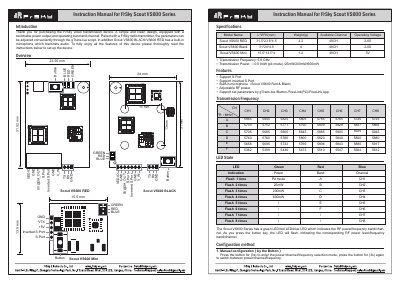
FrSky Scout VS600 Series Instruction Manual
This manual provides instructions for the FrSky Scout VS600 Series video transmission device, which features a switchable power output, operating band, and channel. The series includes the Scout VS600 RED, BLACK, and Mini models, with the RED and BLACK versions including a built-in microphone for audio transmission. Parameters can be adjusted conveniently through the gTrans.lua script or via the FrSky radio transmitter.
Read onlineFrSky Scout VS600 Series specifications
| Transmission Frequency | 5.8 GHz |
|---|---|
| Transmission Power | 0.01mW (pit mode) / 25mW |
| Operating Voltage | 2-6S |
| Available Channel | 26CH |
Source: FrSky Scout VS600 Series Video Transmitter User Manual
All FrSky Scout VS600 Series documents by type
Day-to-day operation, settings and troubleshooting. Start here if the product is already set up.
Questions answered in these manuals
Does the Scout VS600 Series have a built-in microphone?
Yes, the Scout VS600 RED and BLACK models have a built-in microphone which transmits audio.
How can I configure the device parameters?
Parameters can be adjusted through the gTrans.lua script, the FrSky radio transmitter, FreeLink(PC), or FreeLink App.
How can I adjust the parameters of the Scout VS600?
Parameters can be adjusted conveniently through the gTrans.lua script, FreeLink PC software, or FreeLink App.
From: FrSky Scout VS600 Series Video Transmitter User Manual
Does the Scout VS600 have a built-in microphone?
Yes, the Scout VS600 BLACK and RED models have a built-in microphone which transmits audio.
From: FrSky Scout VS600 Series Video Transmitter User Manual
Which models have a built-in microphone?
The Scout VS600 RED and Scout VS600 BLACK models have a built-in microphone.
From: FrSky Scout VS600 Series Video Transmission Device Instruction Manual
How do I enter the power/channel/frequency selection mode?
Press the button for 3 seconds to enter the selection mode.
From: FrSky Scout VS600 Series Video Transmission Device Instruction Manual