
Key facts
- Brand
- FrSky
- Model
- X7S ACCESS
- Category
- Other Electronics
- Industry
- Industrial
- Documents
- 2
- Languages
- ZH · EN
- Last added
- 2023-10-15
Start here
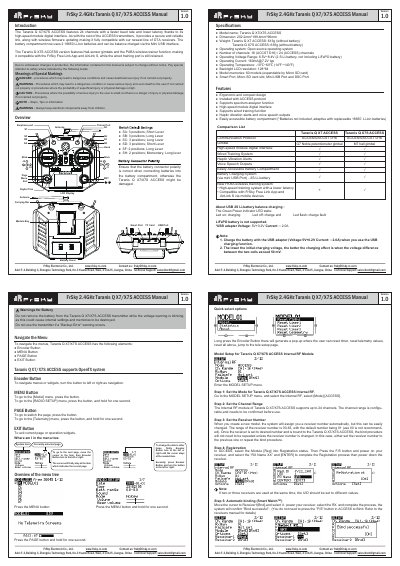
FrSky Taranis Q X7/X7S ACCESS User Manual
This manual provides operating instructions for the FrSky Taranis Q X7 and X7S ACCESS 2.4GHz transmitters. It details the functions of the Encoder, MENU, PAGE, and EXIT buttons for navigating the OpenTX system interface. The document includes specific warnings regarding battery usage, such as not removing the battery while voltage warnings are blinking to prevent data loss. Key features highlighted include the 24-channel ACCESS protocol support, high-speed module digital interface, and compatibility with the FrSky Free Link App and AirLink S via the PARA wireless trainer function. This manual is written in Chinese.
Read onlineFrSky X7S ACCESS specifications
| Model name | Taranis Q X7/X7S ACCESS |
|---|---|
| Dimension | 202.2mm*189.4mm*96mm |
| Weight (X7 ACCESS) | 613g (without battery) |
| Weight (X7S ACCESS) | 639g (without battery) |
| Operating system | Open source operating system |
| Number of channels | 16 (ACCST D16) / 24 (ACCESS) channels |
| Operating Voltage Range | 6.5V~8.4V |
| Operating Current | [email protected] typ |
| Operating Temperature | -10℃~60℃ |
| Backlight LCD resolution | 128*64 |
| Model memories | 60 models |
All FrSky X7S ACCESS documents by type
Day-to-day operation, settings and troubleshooting. Start here if the product is already set up.
Questions answered in these manuals
How do I navigate the menus?
To navigate menus or widgets, turn the Encoder Button to the left or right.
How do I access the [Model] menu?
Press the MENU Button to go to the [Model] menu.
How do I navigate the menus?
Turn the Encoder Button left or right to navigate, and press the MENU, PAGE, or EXIT buttons to select or exit.
How do I reset the timer?
Long press the Encoder Button to generate a pop-up menu where you can select 'Reset timer'.