
Key facts
- Brand
- FrSky
- Model
- R9 Slim
- Industry
- Industrial
- Documents
- 2
- Languages
- EN
- Last added
- 2023-10-15
Start here
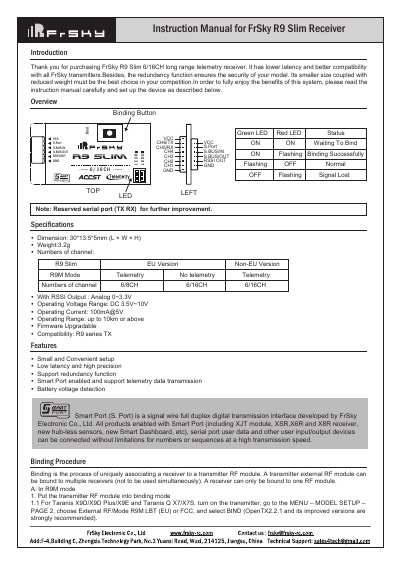
FrSky R9 Slim Receiver User Manual
The document provides an introduction to the FrSky R9 Slim receiver, highlighting its features such as low latency, high precision, redundancy function, and Smart Port support. It includes a pinout diagram and basic specifications like dimensions (30*13.5*5mm) and operating voltage range.
Read onlineFrSky R9 Slim specifications
| Dimension | 30*13.5*5mm (L × W × H) |
|---|---|
| Weight | 3.2g |
| Operating Voltage Range | DC 3.5V~10V |
| Operating Current | 100mA@5V |
| Operating Range | up to 10km or above |
All FrSky R9 Slim documents by type
Day-to-day operation, settings and troubleshooting. Start here if the product is already set up.
Questions answered in these manuals
What are the available failsafe modes?
The three available failsafe modes are No Pulse, Hold, and Custom.
How long must one wait for the failsafe to take effect?
You must wait 9 seconds after selecting a mode or setting custom positions before the failsafe takes effect.
How do I register and bind the receiver automatically?
Put the transmitter into [Reg] status, connect the battery to the receiver while holding the F/S button until LEDs flash, then select the receiver on the transmitter to complete binding.
How can I enable or disable telemetry?
Go to the External RF menu in your transmitter, select the Receiver option, press ENTER, and choose to enable or disable the telemetry setting.