
Key facts
- Brand
- FrSky
- Model
- R9 MM-FC
- Category
- Other Electronics
- Industry
- Electronics
- Documents
- 2
- Languages
- EN
- Last added
- 2023-10-15
Start here
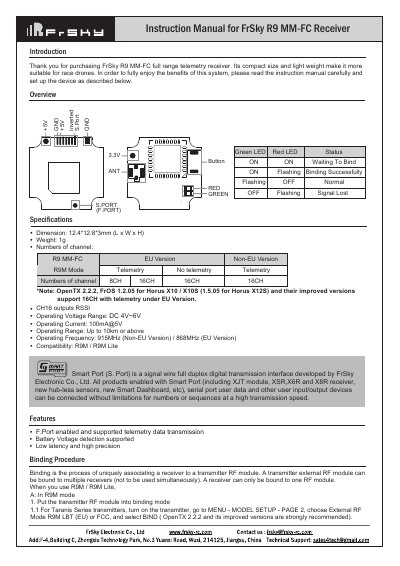
FrSky R9 MM-FC Receiver User Manual
This document is the instruction manual for the FrSky R9 MM-FC full range telemetry receiver. It describes the Smart Port (S. Port) interface, which allows for high-speed digital transmission and connection of various user input/output devices without limitations on numbers or sequences. The receiver is designed for race drones due to its compact size and light weight.
Read onlineFrSky R9 MM-FC specifications
| Weight | 1g |
|---|---|
| Operating Voltage Range | DC 4V~6V |
| Operating Current | 100mA@5V |
| Operating Range | Up to 10km or above |
| Operating Frequency (Non-EU) | 915MHz |
| Dimension | 12.4*12.8*3mm (L x W x H) |
All FrSky R9 MM-FC documents by type
Day-to-day operation, settings and troubleshooting. Start here if the product is already set up.
Questions answered in these manuals
What are the failsafe modes available for the R9 MM-FC?
There are three failsafe modes: No Pulse, Hold, and Custom.
How do I enable telemetry on the receiver?
For Taranis Series, go to MENU-MODEL SETUP-PAGE2, choose External RF MODE, select Bind, and choose telemetry. For Horus Series, go to RF SYSTEM, choose External RF, select R9M, then Bind and choose telemetry.
How do I register and bind the receiver?
Put the transmitter into [Reg] status, connect the battery to the receiver while holding the F/S button, then select [Bind] on the transmitter after turning off and reconnecting the receiver.
What are the available failsafe modes?
The receiver supports three failsafe modes: No Pulse, Hold, and Custom.