
Key facts
- Brand
- FrSky
- Model
- ARCHER GR8
- Industry
- Automotive
- Documents
- 8
- Languages
- EN · ZH
- Last added
- 2023-10-15
Start here
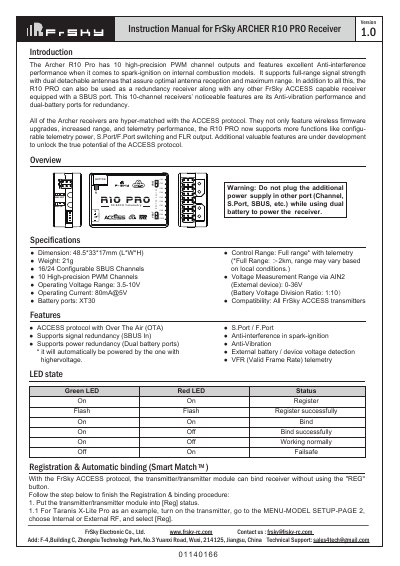
FrSky ARCHER GR8 and ARCHER R10 PRO Receiver Instruction Manual
The document provides instruction manuals for two FrSky receiver models: the ARCHER GR8 and the ARCHER R10 PRO. It details their LED status indicators, registration procedures via Smart Match, and firmware update methods using Over The Air (OTA) technology with compatible transmitters like the Taranis X-Lite Pro.
Read onlineFrSky ARCHER GR8 specifications
| Dimension (R10 Pro) | 48.5*33*17mm (L*W*H) |
|---|---|
| Weight | 21g |
| SBUS Channels | 16/24 Configurable |
| PWM Channels | 10 High-precision |
| Operating Voltage Range | 3.5-10V |
| Operating Current | 80mA@5V |
| Battery ports | XT30 |
| Control Range | Full range* with telemetry |
Source: FrSky ARCHER GR8 and ARCHER R10 PRO Receiver Instruction Manual
All FrSky ARCHER GR8 documents by type
Day-to-day operation, settings and troubleshooting. Start here if the product is already set up.
- FrSky ARCHER GR8 and ARCHER R10 PRO Receiver Instruction Manual 2 p
- FrSky ARCHER GR8 and ARCHER R4 Receiver Instruction Manual 2 p
- FrSky ARCHER GR8 Receiver User Manual 2 p
- FrSky ARCHER GR8 Receiver User Manual 2 p
- FrSky ARCHER GR8 Receiver Instruction Manual 2 p
- FrSky ARCHER GR8 and R10 PRO Receiver User Manual 2 p
- FrSky ARCHER GR8 Receiver User Manual 2 p
- FrSky ARCHER GR8 Receiver User Manual 2 p
Questions answered in these manuals
How do I register and bind the receiver automatically?
Put the transmitter into [Reg] status, then connect the battery to the receiver while holding the F/S button until LEDs indicate [Reg], select [ENTER] on the transmitter for registration, or move the cursor to select [Bind] after turning off the receiver.
From: FrSky ARCHER GR8 and ARCHER R10 PRO Receiver Instruction Manual
What is the difference between FS and HS mode?
The factory default setting is FS (20ms) mode, while HS (7ms) mode is applied specifically for digital servos to prevent them from getting hot.
From: FrSky ARCHER GR8 and ARCHER R10 PRO Receiver Instruction Manual
How do I switch between FS (20ms) and HS (7ms) modes?
Go to the receiver [Options] and select the 7ms PWM setting; the factory default is FS mode.
From: FrSky ARCHER GR8 and ARCHER R4 Receiver Instruction Manual
How do I update the firmware via OTA?
Go to the SD CARD menu, select [Flash receiver OTA], power on the receiver, select the RX, go to [ENTER], and complete the flash process.
From: FrSky ARCHER GR8 and ARCHER R4 Receiver Instruction Manual
How do I switch between FS (failsafe) and HS (high-speed) modes?
The factory default is FS mode; to change it, go to the receiver [Options] in the transmitter menu and select 7ms PWM or keep the default.
What is the operating voltage range for the FrSky ARCHER GR8 Receiver?
The receiver operates within a voltage range of 3.5 to 10V.