
Key facts
- Brand
- FrSky
- Model
- GR6
- Category
- Other Electronics
- Industry
- Electronics
- Documents
- 3
- Languages
- EN · ZH
- Last added
- 2023-10-15
Start here
FrSky ARCHER PLUS R6/GR6 Receiver Instruction Manual
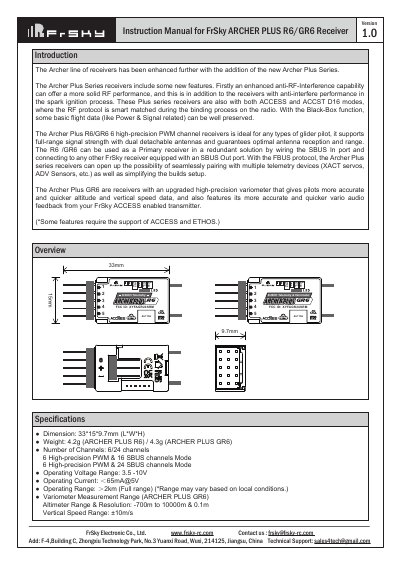
This manual provides instructions for the FrSky ARCHER PLUS R6 and GR6 receivers, which are high-precision PWM channel receivers designed for glider pilots and other RC applications. The R6 model offers 6 high-precision PWM channels, while the GR6 includes an upgraded high-precision variometer for accurate altitude and vertical speed data. Both models support full-range signal strength with dual detachable antennas and feature enhanced anti-RF-interference capabilities.
Read onlineFrSky GR6 specifications
| Dimensions | 33*15*9.7mm (L*W*H) |
|---|---|
| Weight (R6) | 4.2g |
| Weight (GR6) | 4.3g |
| Operating Voltage Range | 3.5 -10V |
| Operating Current | ≤65mA@5V |
| Operating Range | ≥2km |
| Antenna connector | IPEX4 |
Source: FrSky ARCHER PLUS R6/GR6 Receiver Instruction Manual
All FrSky GR6 documents by type
Day-to-day operation, settings and troubleshooting. Start here if the product is already set up.
Questions answered in these manuals
What is the difference between the R6 and GR6 models?
The GR6 model features an upgraded high-precision variometer that provides more accurate and quicker altitude and vertical speed data.
How do I set the failsafe mode?
You can choose between No Pulse, Hold, or Custom mode. For Custom mode, move the cursor to the channel, press the Encoder, rotate to set the position, and short-press to finish.
How do I enter 4ms race mode?
Enter into Model-RF system, select the Channel Range as CH1-CH8. Click [Switch Positions] and select a switch to start 4ms race mode.
How do I switch SBUS channel mode?
Enter into RX Settings, click [SBUS], then select SBUS-16 mode or SBUS-24 mode.
What is the operating voltage range for the receiver?
The receiver operates within a voltage range of 3.5V to 10V.
How do I switch between FS and HS modes?
To switch, go to the receiver [Options] in the transmitter menu and select either the 20ms PWM (FS) or 7ms PWM (HS).