
Key facts
- Brand
- FrSky
- Model
- X8R
- Category
- Other Electronics
- Industry
- Electronics
- Documents
- 3
- Languages
- EN
- Last added
- 2023-10-15
Start here
FrSky X8R 2.4G Receiver User Manual
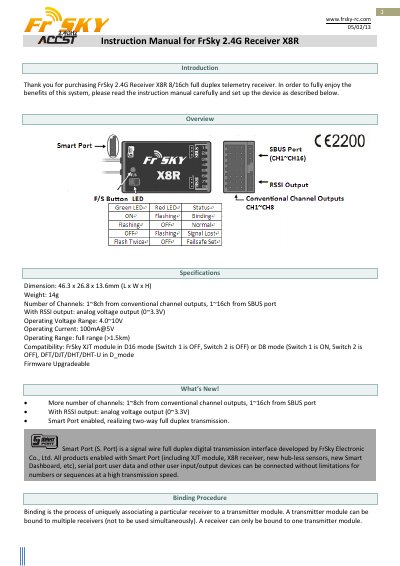
This manual provides instructions for the FrSky X8R 2.4G Receiver, an 8/16 channel full duplex telemetry receiver. It details the binding procedure between the receiver and compatible transmitter modules, such as the FrSky XJT module. The document explains how to configure the Smart Port for two-way transmission and outlines the necessary steps to bind the device to a specific transmitter.
Read onlineFrSky X8R specifications
| Number of Channels | 16CH |
|---|---|
| Operating Voltage Range | 4.0~10V |
| Operating Current | 100mA@5V |
| Operating Range | >1.5km |
| Weight | 12.1g |
| Dimension | 46.25×26.6×14.2mm |
Source: FrSky X8R 8/16ch Telemetry Receiver Range Check and Failsafe Guide
All FrSky X8R documents by type
Day-to-day operation, settings and troubleshooting. Start here if the product is already set up.
Questions answered in these manuals
What indicates the receiver is receiving commands?
The GREEN LED on the receiver will be ON.
From: FrSky X8R 8/16ch Telemetry Receiver Range Check and Failsafe Guide
What is the minimum height required to place the model during a range check?
The model must be placed at least 60cm (two feet) above non-metal contaminated ground.
From: FrSky X8R 8/16ch Telemetry Receiver Range Check and Failsafe Guide
How do I set the failsafe position?
Bind the receiver and turn on both devices, move the controls to the desired position, and press the F/S button on the receiver briefly.
What is the operating voltage range?
The receiver operates within a voltage range of 4.0 to 10V.
How do I enable telemetry on the receiver?
After binding, repower the receiver and check if it is really under control by the linked transmitter.
What is the binding procedure for the receiver?
Put the transmitter in binding mode, connect the battery to the receiver while holding the F/S button, then turn off both devices before turning them on again.