
Key facts
- Manuals
- 6
- Languages
- ZH · EN
- Last added
- 2026-10-03
Featured FrSky manuals
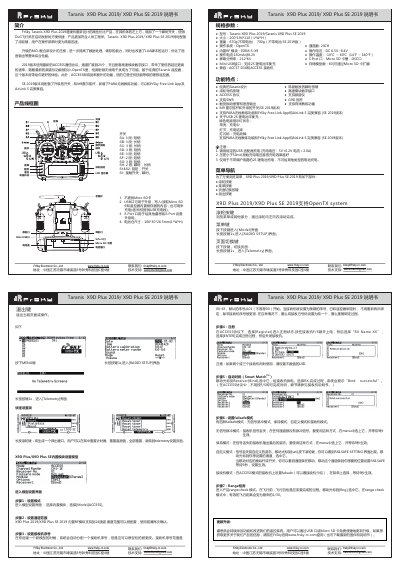
FrSky Taranis X9D Plus 2019/X9D Plus SE 2019 User Manual
This guide describes the FrSky Taranis X9D Plus 2019 and X9D Plus SE 2019 remote‑control transmitters, covering the redesigned hardware, added instant switch, wheel navigation and upgraded MCU. It explains the ACCESS protocol, 24‑channel expansion, high‑speed digital module and new spectrum‑analysis features.
The document includes detailed specifications, a quick‑setup walkthrough, failsafe configuration, range check, charging instructions and how to perform firmware updates via USB or Micro‑SD card. Contact information for FrSky support and the company address are also provided. This manual is written in Chinese.
Covers: Menu Navigation · Specifications · Features · Quick Setup · Firmware Update · Charging Instructions
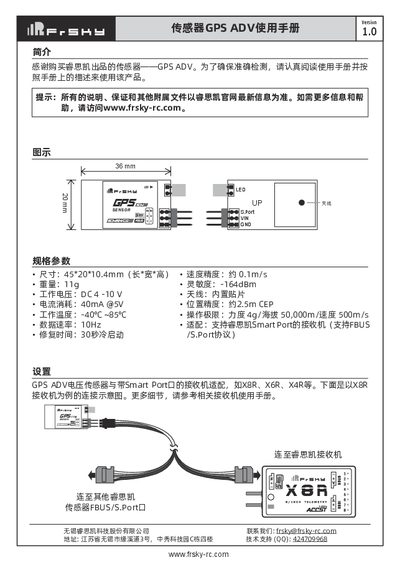
FrSky GPS ADV Sensor User Manual
This manual introduces the FrSky GPS ADV sensor, a compact GPS module designed for use with FrSky Smart Port receivers. It includes physical dimensions, electrical characteristics, performance specifications, and mounting guidelines.
The document details connection diagrams for Smart Port receivers such as the X8R, explains how to configure the sensor ID via the Free Link app, and describes LED indicators for S.Port and FBUS operation. Safety warnings and compatibility notes are also provided. This manual is written in Chinese.
Covers: Introduction · Specifications · Connection Diagram · Settings · ID Settings · LED Status
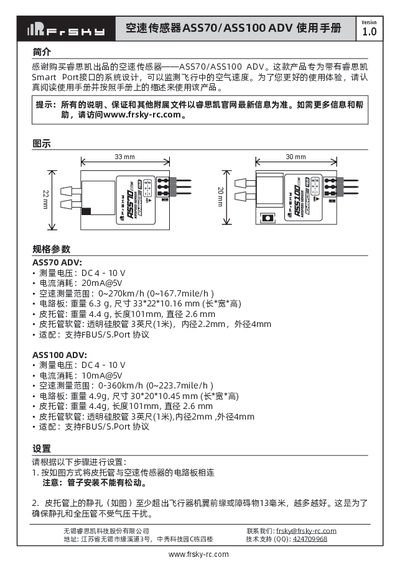
Frsky ASS70/ASS100 ADV Air Speed Sensor User Manual
The ASS70 and ASS100 ADV air speed sensors are designed for systems with Frsky Smart Port interfaces and measure airflow speed during flight. The manual introduces the product, its purpose, and the required safety precautions.
It covers connection of the pitot tube, recommended placement on the aircraft, wiring to the Smart Port, ID configuration via Free Link ETHOS, LED status indicators, and detailed electrical and mechanical specifications for both models. This manual is written in Chinese.
Covers: Introduction · Installation and Setup · Pitot Tube Placement · Specifications · ID Configuration · LED Status
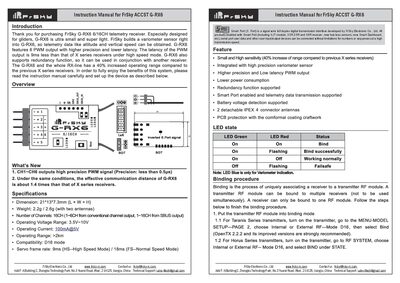
FrSky G-RX6 Receiver User Manual
This instruction manual from FrSky Electronic Co., Ltd provides essential information for setting up and using the ACCST G‑RX6 receiver. It includes contact details, support information, and guidance on accessing firmware updates.
The manual describes the Smart Port (S.Port) as a full‑duplex digital transmission interface that allows connection of various FrSky devices such as XJT modules, XSR, X6R, X8R receivers, hub‑less sensors, and Smart Dashboards without limitations on number or sequence.
Covers: Contact Information · Smart Port Interface · Product Overview · Firmware Updates
Latest FrSky manuals
FrSky Taranis X9D Plus 2019/X9D Plus SE 2019 User Manual
User Manual 1 pages · 1.7 MB · ZHThe manual provides menu navigation, hardware parts, specifications, features, quick‑setup steps and firmware‑update instructions for the FrSky Taranis X9D…
FrSky GPS ADV Sensor User Manual
User Manual 2 pages · 685 KB · ZHThe FrSky GPS ADV sensor user manual provides specifications, wiring diagrams, setup steps, LED status explanations and ID configuration instructions.
Frsky ASS70/ASS100 ADV Air Speed Sensor User Manual
User Manual 2 pages · 3 MB · ZHThe Frsky ASS70/ASS100 ADV air speed sensor user manual provides installation steps, configuration, specifications, and usage guidelines.
FrSky G-RX6 Receiver User Manual
User Manual 2 pages · 3.8 MB · ENThe FrSky G-RX6 receiver user manual explains the Smart Port (S.Port) interface and provides usage instructions.
FrSky FLD-01 LCD-fdd_lite User Manual
User Manual 1 pages · 111 KB · ZHThe FrSky FLD-01 LCD-fdd_lite User Manual provides specifications, installation steps, and display functions for the telemetry LCD module.
FrSky TFR8‑S Receiver User Manual
User Manual 2 pages · 132 KB · ZHThe FrSky TFR8‑S receiver manual provides binding, failsafe setup, LED indicators, and multi‑channel usage instructions.
Which document do I need?
User Manual
Day-to-day operation, settings and troubleshooting. Start here if the product is already set up.
Questions answered in FrSky manuals
How many channels does the X9D Plus 2019 support?
It supports 24 channels.
From: FrSky Taranis X9D Plus 2019/X9D Plus SE 2019 User Manual
What is the operating voltage range for the transmitter?
The operating voltage is DC 6.5 V to 8.4 V.
From: FrSky Taranis X9D Plus 2019/X9D Plus SE 2019 User Manual
How can I change the GPS ADV sensor's ID?
Use the Free Link application on Windows, Android, or iOS to modify the sensor's unique physical ID.
What do the LED indicators mean for S.Port and FBUS?
A slow‑flashing LED indicates no S.Port connection, while a fast‑flashing LED indicates that S.Port is active.
How can I change the sensor's ID?
You can change the ID using Free Link ETHOS on Windows, Android, or iOS.
Where should the pitot tube be placed on the aircraft?
The static hole of the pitot tube should extend at least 13 mm beyond the wing leading edge and avoid water, oil, or vibration‑prone areas.