
Key facts
- Brand
- FrSky
- Model
- ARCHER R10 PRO
- Industry
- Appliances
- Documents
- 2
- Languages
- EN
- Last added
- 2023-10-15
Start here
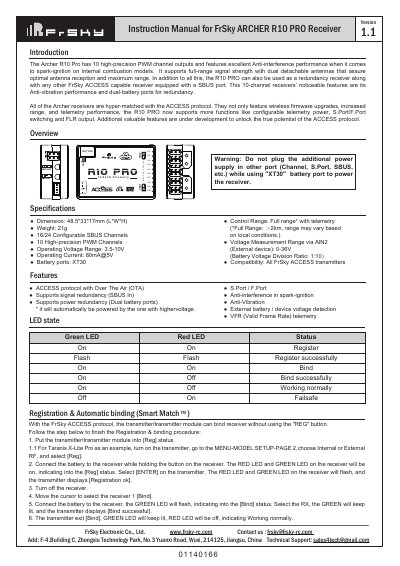
FrSky ARCHER GR8 Receiver Instruction Manual
The FrSky ARCHER R10 PRO is a 10-channel receiver featuring high-precision PWM outputs, excellent anti-interference performance for spark-ignition models, and support for the ACCESS protocol. It includes dual detachable antennas for optimal signal reception and can function as a redundancy receiver alongside other FrSky ACCESS devices equipped with an SBUS port.
Read onlineFrSky ARCHER R10 PRO specifications
| Channels | 10 High-precision PWM Channels |
|---|---|
| Operating Voltage Range (Battery) | 3.5-10V |
| Weight | 21g |
All FrSky ARCHER R10 PRO documents by type
Day-to-day operation, settings and troubleshooting. Start here if the product is already set up.
Questions answered in these manuals
How do I bind the receiver automatically?
Put the transmitter into [Reg] status, connect the battery while holding the receiver button until LEDs flash, then select [ENTER] on the transmitter to complete registration.
What is the difference between FS and HS modes?
FS mode (factory default) is for standard servos, while HS mode (7ms PWM) is only applied for digital servos to prevent overheating.
How do I register and bind the receiver automatically?
Put the transmitter into [Reg] status, then connect the battery to the receiver while holding the F/S button until LEDs indicate [Reg], select [ENTER] on the transmitter for registration, or move the cursor to select [Bind] after turning off the receiver.
From: FrSky ARCHER GR8 and ARCHER R10 PRO Receiver Instruction Manual
What is the difference between FS and HS mode?
The factory default setting is FS (20ms) mode, while HS (7ms) mode is applied specifically for digital servos to prevent them from getting hot.
From: FrSky ARCHER GR8 and ARCHER R10 PRO Receiver Instruction Manual