
Key facts
- Brand
- Delta
- Model
- CME-PD01
- Industry
- Industrial
- Documents
- 5
- Languages
- EN · ZH
- Last added
- 2012-01-12
Start here
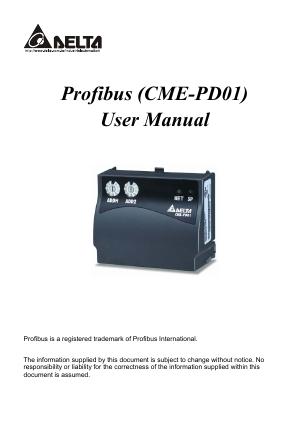
Delta CME-PD01 Profibus Communication Module User Manual
The Delta CME-PD01 is a communication module that links VFD-E series AC drives to a PROFIBUS-DP network. It features a DB9 PROFIBUS-DP interface, an RJ-45 RS-485 port for drive connection, two status LEDs, and rotary address switches for node configuration.
The manual covers receiving and inspection, product overview with layout and technical information, PROFIBUS and PROFIBUS-DP introduction, installation and pin assignment, communication settings including address, parameters, cyclical data, and PKW access, GSD file parameter configuration, troubleshooting with LED diagnostics and error codes, and mechanical dimensions.
Delta CME-PD01 specifications
| Baud Rate | 9600 |
|---|---|
| Communication Format | RTU 8N2 |
| Power Supply Source | Supplied from VFD‑E via RJ‑45 cable |
Source: Delta CME-PD01 Profibus Communication Module Instruction Sheet
All Delta CME-PD01 documents by type
Day-to-day operation, settings and troubleshooting. Start here if the product is already set up.
- Delta CME-PD01 Profibus Communication Module Instruction Sheet 2 p
- Delta CME-PD01 Profibus Communication Module User Manual 35 p
- Delta CME-PD01 Profibus Interface User Manual 35 p
- Delta CME-PD01 Profibus Communication Module Instruction Sheet 2 p
- Delta CME-PD01 PROFIBUS-DP Communication Module User Manual 35 p
Questions answered in these manuals
How do I set the PROFIBUS address on the CME-PD01?
Use the two rotary switches ADDH and ADDL; ADDH sets the upper 4 bits and ADDL sets the lower 4 bits of the address in hexadecimal.
From: Delta CME-PD01 Profibus Communication Module Instruction Sheet
What do the SP LED and NET LED indicate?
The SP LED shows the connection status between the VFD‑E and the CME‑PD01, while the NET LED shows the connection status between the CME‑PD01 and the PROFIBUS‑DP network.
From: Delta CME-PD01 Profibus Communication Module Instruction Sheet
What baud rates does the CME-PD01 support?
The module supports baud rates from 9.6 kbaud up to 12 Mbaud.
From: Delta CME-PD01 Profibus Communication Module User Manual
How is the PROFIBUS node address configured?
The address is set with two rotary switches: ADDH for the high 4 bits and ADDL for the low 4 bits.
From: Delta CME-PD01 Profibus Communication Module User Manual
How do I set the communication address of the CME‑PD01?
Use the two rotary address setting knobs: ADDH sets the high 4 bits and ADDL sets the low 4 bits of the PROFIBUS‑DP address.
What do the SP LED and NET LED indicate?
The SP LED shows the communication status between the CME‑PD01 and the inverter, while the NET LED shows the connection status between the CME‑PD01 and the PROFIBUS‑DP network.