
Key facts
- Brand
- Delta
- Model
- DOP-107WV
- Category
- Automation control Equipment
- Industry
- Industrial
- Documents
- 2
- Languages
- EN · ZH
- Last added
- 2026-11-17
Start here
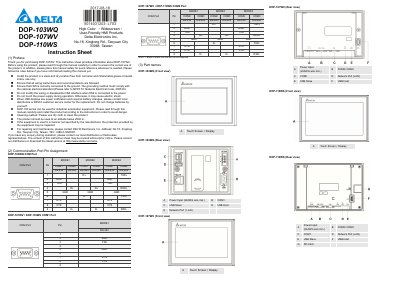
Delta DOP-107WV High Color Widescreen HMI Instruction Sheet
Delta Electronics Inc. publishes this instruction sheet for the DOP-107WV, part of the DOP-100 series of high-color, widescreen HMI products. The sheet also includes DOP-103WQ and DOP-110WS in its model tables, and covers safety precautions, communication port pin assignments, part names, installation dimensions, mounting and wiring instructions, and specifications.
Specifications listed for the DOP-107WV include a 7-inch TFT LCD with 800 x 480 pixels, an ARM Cortex-A8 800 MHz CPU, 256 MB flash ROM, 512 MB RAM, a 4-wire resistive touch screen, LAN, USB host and slave ports, and a 3 V CR2032 backup battery. The document also gives panel cutout dimensions, mounting torque, wiring gauge, power supply requirements, and environmental limits.
Delta DOP-107WV specifications
| Display type | 7" TFT LCD (65535 colors) |
|---|---|
| Resolution | 800 x 480 pixels |
| Display size | 154.08 x 85.92 mm |
| Brightness | 450 cd/m² (Typ.) |
| CPU | ARM Cortex-A8 (800 MHz) |
| Flash ROM | 256 Mbytes |
| RAM | 512 Mbytes |
| Touch screen | 4-wire resistive touch screen, > 10,000,000 operated |
| Ethernet | 10/100 Mbps Auto sensing |
| USB | 1 USB Slave Ver 2.0, 1 USB Host Ver 2.0 |
| Operating voltage | +24 V DC (-15% ~ +15%) |
| Power consumption | 8.4 W (Max) |
| Backup battery | 3 V lithium battery CR2032 x 1 |
| Operating temperature | 0°C ~ 50°C |
| Dimensions (W x H x D) | 196 x 136 x 39 mm |
| Weight | Approx. 560 g |
Source: Delta DOP-107WV High Color Widescreen HMI Instruction Sheet
All Delta DOP-107WV documents by type
The shortest path to a working setup, usually only a few pages.
Day-to-day operation, settings and troubleshooting. Start here if the product is already set up.
Questions answered in these manuals
What should I do when the HMI displays a low battery notification?
Contact local distributors or the Delta customer service center for the replacement; do not change the batteries yourself.
From: Delta DOP-107WV High Color Widescreen HMI Instruction Sheet
What is the allowable panel thickness for mounting?
The panel thickness should be less than 5 mm.
From: Delta DOP-107WV High Color Widescreen HMI Instruction Sheet
What is the display size of the DOP-107WV?
The display size is 154.08 x 85.92 mm.
From: DOP-103WQ DOP-107WV DOP-110WS High Color ‧ Widescreen ‧ User-Friendly HMI Products
What is the maximum power consumption of the DOP-107WV?
The maximum power consumption is 8.4W.
From: DOP-103WQ DOP-107WV DOP-110WS High Color ‧ Widescreen ‧ User-Friendly HMI Products