
Key facts
- Brand
- Delta
- Model
- PD-01
- Category
- Automation control Equipment
- Industry
- Industrial
- Documents
- 6
- Languages
- EN · ZH
- Last added
- 2012-01-12
Start here
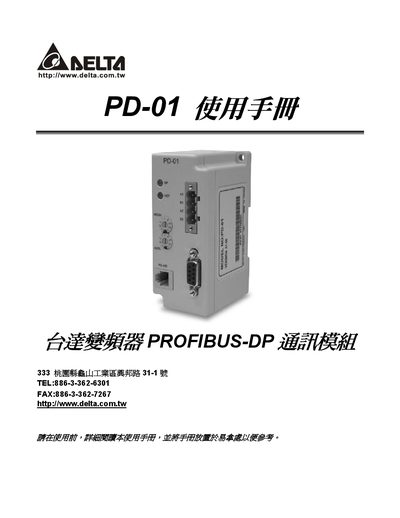
Delta PD-01 Communication Module Manual
This manual describes the Delta PD-01 communication module, which adds PROFIBUS‑DP connectivity to Delta VFD series drives. It explains the module’s features, supported baud rates, LED status indicators, and the physical connectors used for PROFIBUS‑DP (DB9) and RS‑485 (RJ11).\n\nThe document includes step‑by‑step procedures for installing and removing the module, setting its network address with the ADDH/ADDL rotary switches, configuring parameters via PZD and PKW, and diagnosing faults using LED codes and error‑code tables. It also lists the supported VFD firmware versions and provides mechanical dimensions. This manual is written in Chinese.
Read onlineDelta PD-01 specifications
| Baud Rate | 9600 |
|---|---|
| Communication Format | RTU 8N2 |
| Power Supply Source | Supplied from VFD‑E via RJ‑45 cable |
Source: Delta CME-PD01 Profibus Communication Module Instruction Sheet
All Delta PD-01 documents by type
Day-to-day operation, settings and troubleshooting. Start here if the product is already set up.
Mounting, wiring and first power-up. Read it before the hardware goes in.
Questions answered in these manuals
How do I set the PROFIBUS address on the CME-PD01?
Use the two rotary switches ADDH and ADDL; ADDH sets the upper 4 bits and ADDL sets the lower 4 bits of the address in hexadecimal.
From: Delta CME-PD01 Profibus Communication Module Instruction Sheet
What do the SP LED and NET LED indicate?
The SP LED shows the connection status between the VFD‑E and the CME‑PD01, while the NET LED shows the connection status between the CME‑PD01 and the PROFIBUS‑DP network.
From: Delta CME-PD01 Profibus Communication Module Instruction Sheet
How do I set the communication address of the CME‑PD01?
Use the two rotary address setting knobs: ADDH sets the high 4 bits and ADDL sets the low 4 bits of the PROFIBUS‑DP address.
What do the SP LED and NET LED indicate?
The SP LED shows the communication status between the CME‑PD01 and the inverter, while the NET LED shows the connection status between the CME‑PD01 and the PROFIBUS‑DP network.
How is the CME-PD01 powered?
CME-PD01 receives its power from the connected VFD‑E through the RJ‑45 communication cable.
From: Delta CME-PD01 Profibus Communication Module Instruction Sheet
How do I set the PROFIBUS address on the CME-PD01?
Use the two rotary address switches, ADDH for the high 4 bits and ADDL for the low 4 bits, setting the address in HEX format.
From: Delta CME-PD01 Profibus Communication Module Instruction Sheet