
Dell XPS 13 laptop quick start guide.
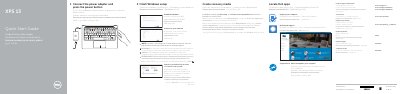
This guide covers first-time setup for the Dell XPS 13 (XPS 9343): connect the power adapter and press the power button, finish Windows setup, enable Dell updates, connect to a network, sign in to a Microsoft account or create a local account, and create recovery media.
It also identifies 16 numbered features, including ports, buttons, lights, and the media-card reader, and lists keyboard shortcuts for audio, volume, brightness, playback, external display, search, keyboard backlight, Fn-key lock, and wireless.
| Camera | 1 |
|---|---|
| Power-adapter port | 1 |
| Mini DisplayPort | 1 |
| USB 3.0 port | 1 |
| Headset port | 1 |
| Battery-charge status lights | 5 |
| Media-card reader | 1 |
| USB 3.0 port with PowerShare | 1 |
| Security-cable slot | 1 |
| Power button | 1 |
See Specifications at dell.com/support.
In Windows search, type Recovery, click Create a recovery media, and follow the instructions on the screen.
The shortcut labeled Toggle keyboard backlight.
The shortcut labeled Turn off/on wireless.