
Dell Venue 8 Pro 3000 Series (3845) Tablet Quick Start Guide

The Dell Venue 8 Pro 3000 Series Tablet Quick Start Guide.
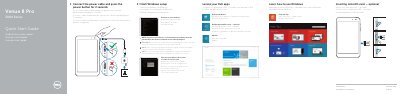

Dell Venue 8 Pro 3000 Series (3845) Tablet Quick Start Guide - cover page
Brand
DELL
Category
Tablets
Document type
Quick Start Guide
Language
English
Pages
2
File format
PDF
File size
710 KB
Published
20 November, 2023
Updated
20 November, 2023
MD5 checksum
2E6B97CBE2FF99D6C7A9ABD2ABF51E11

About this manual

This quick start guide covers initial setup of the Dell Venue 8 Pro 3000 Series tablet, including connecting power, completing Windows setup, connecting to a network, and locating Dell apps.

It also identifies tablet features and provides product support, regulatory, and safety references.

What's inside

  • Connect the power cable and press the power button
  • Finish Windows setup
  • Locate your Dell apps
  • Register My Device
  • Dell Backup and Recovery
  • Learn how to use Windows
  • Help and Tips
  • Inserting microSD card
  • Connect to your network
  • Features

Specifications

Tablet modelVenue 8 Pro 3845
Series3000 Series
Regulatory model and typeT01D, T01D002

Frequently asked questions

How long do I press the power button to turn on the tablet?

Press the power button for 2 seconds.

How do I connect to a secured wireless network?

Enter the password for the wireless network access when prompted.

Is Dell Backup and Recovery included?

Dell Backup and Recovery is optional.

Where can I find product support and manuals?

Product support and manuals are available at dell.com/support and dell.com/support/manuals.

Download PDF (710 KB)

More DELL Manuals


View all DELL manuals →