
The Dell Precision Tower 7910 Quick Start Guide provides information on how to set up and use the Dell Precision Tower 7910 desktop computer.
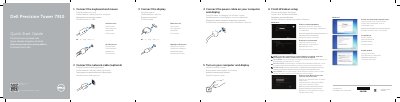
The Dell Precision Tower 7910 quick start guide walks through connecting a keyboard and mouse, an optional network cable, a display, and the power cables, then turning on the computer and display. It also covers finishing Windows setup, including security and updates, network connection, and signing in with a Microsoft account or creating a local account.
The guide also lists computer features and connectors, including the power button, USB 3.0 and USB 2.0 connectors, optical drive, hard-drive activity light, microphone and headphone connectors, serial connector, power-supply unit release latch, expansion card slots, security cable slot, padlock ring, line-out and network connectors, and PS/2 keyboard and mouse connectors. It provides Dell support and contact links, regulatory and safety information, the regulatory model D02X, regulatory type D02X003, and computer model Dell Precision Tower 7910.
| Computer model | Dell Precision Tower 7910 |
|---|---|
| Regulatory model | D02X |
| Regulatory type | D02X003 |
No. The guide labels the network cable connection as optional.
A DisplayPort connector can be used for the display.
Dell provides product support and manuals at dell.com/support/manuals.
The setup section shows Windows 8 and Windows 7.