
Dell Precision Tower 7910 Quick Start Guide

Dell Precision Tower 7910 Quick Start Guide
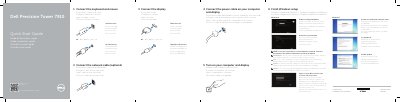

Dell Precision Tower 7910 Quick Start Guide - cover page
Brand
DELL
Category
Desktops
Document type
Quick Start Guide
Language
English
Pages
2
File format
PDF
File size
448 KB
Published
25 November, 2023
Updated
25 November, 2023
MD5 checksum
A943DE1112CED7182058F5A3A00C61F3

About this manual

This guide provides the initial setup steps for the Dell Precision Tower 7910 workstation. It covers connecting essential peripherals such as the keyboard, mouse, network cable, and display, as well as connecting the power cable. It also details the process for turning on the computer and configuring the initial Windows user account and security settings.

What's inside

  • Connect the keyboard and mouse
  • Connect the network cable
  • Connect the display
  • Connect the power cable
  • Turn on your computer
  • Create user name and computer name
  • Set password
  • Enable updates
  • Features
  • Product support and manuals

Frequently asked questions

What should I do if I am connecting to a secured wireless network?

Enter the password for the wireless network access when prompted.

Where can I find support and manuals for this device?

Visit dell.com/support or dell.com/support/manuals.

Download PDF (448 KB)

More DELL Manuals


View all DELL manuals →