
Key facts
Start here
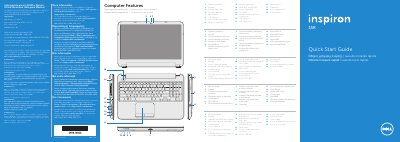
Dell Inspiron 5521 (P28F) Computer Quick Start Guide
This Dell Inspiron 5521 quick start guide presents the computer's features and basic setup steps in English, Spanish, Greek, Portuguese, and Romanian. It lists regulatory model P28F and type P28F001 and includes NOM information for Mexico with electrical ratings.
The guide covers connecting the power adapter, completing Windows setup, checking wireless status, locating the service tag/regulatory label, and connecting an optional network cable. It also identifies ports and indicators including USB 2.0, USB 3.0, HDMI, media-card reader, camera, touchpad, and power button, and describes function-key controls for display, wireless, touchpad, brightness, media, and volume.
Dell Inspiron 5521 (P28F) specifications
| Computer model | Inspiron 5521 |
|---|---|
| Regulatory model | P28F |
| Type | P28F001 |
| Input voltage | 100–240 V AC |
| Maximum input current | 1.50 A/1.60 A/1.70 A/2.50 A |
| Input frequency | 50–60 Hz |
| Output current | 3.34 A/4.62 A |
| Nominal output voltage | 19.50 V DC |
Source: Dell Inspiron 5521 (P28F) Computer Quick Start Guide
All Dell Inspiron 5521 (P28F) documents by type
The shortest path to a working setup, usually only a few pages.
Questions answered in these manuals
What computer model does this guide cover?
It covers the Dell Inspiron 5521; the guide also lists regulatory model P28F and type P28F001.
What input voltage is listed for the device?
The guide lists an input voltage of 100–240 V AC.
What is the computer model?
The computer model is Inspiron 5521.
What is the regulatory model?
The regulatory model is P28F.
What is the computer model for this guide?
The computer model is the Dell Inspiron 5521.
What is the regulatory model number?
The regulatory model number is P28F.