
Key facts
Start here
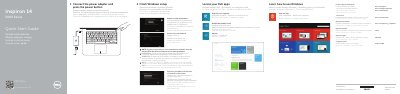
Dell Inspiron 14 5000 Series (Inspiron 5448) Computer Quick Start Guide
This two-page quick start guide is for the Dell Inspiron 14 5000 Series (Inspiron 5448) computer. It outlines initial Windows setup steps, including connecting power, network, and a Microsoft account, plus locating Dell apps and product support.
It also provides labeled diagrams of the computer's ports and controls and a table of keyboard shortcut keys, along with regulatory model P49G and regulatory type P49G001.
Dell Inspiron 14 5000 Series (Inspiron 5448) specifications
| Regulatory model | P49G |
|---|---|
| Regulatory type | P49G001 |
| Computer model | Inspiron 5448 |
| USB 3.0 ports | 2 |
Source: Dell Inspiron 14 5000 Series (Inspiron 5448) Computer Quick Start Guide
All Dell Inspiron 14 5000 Series (Inspiron 5448) documents by type
The shortest path to a working setup, usually only a few pages.
Disassembly, diagnostics and part numbers, for repair.
Questions answered in these manuals
How do I connect to a secured wireless network?
Enter the password for the wireless network access when prompted.
From: Dell Inspiron 14 5000 Series (Inspiron 5448) Computer Quick Start Guide
Where can I find product support and manuals?
Use dell.com/support and dell.com/support/manuals.
From: Dell Inspiron 14 5000 Series (Inspiron 5448) Computer Quick Start Guide
What tools are required to service the Dell Inspiron 14 5000 Series laptop?
A Phillips screwdriver and a plastic pry tool are required.
From: Dell Inspiron 14 5000 Series (Inspiron 5448) Laptop Service Manual
What is the specific model number for this Inspiron 14 5000 Series laptop?
The computer model is Inspiron 5448, official model P49G, type P49G001.
From: Dell Inspiron 14 5000 Series (Inspiron 5448) Laptop Service Manual