
Key facts
Start here
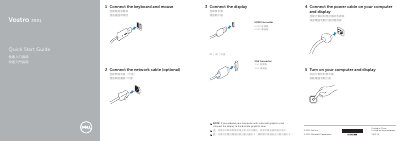
Dell Vostro 3901 Quick Start Guide
Quick Start Guide 2 pages · 245 KB · EN
This document is the Quick Start Guide for the Dell Vostro 3901 computer. It outlines the initial steps to get the device running, such as connecting the power cable, network cable, display, keyboard, and mouse. It also includes instructions for turning on the computer and display.
Read onlineDell Vostro 3901 specifications
| HDMI connector | Included |
|---|---|
| VGA connector | Included |
| USB 2.0 connectors | Included |
| USB 3.0 connectors | Included |
| Optical drive | Included |
| Media-card bay | Included |
| Expansion card slots | Included |
| Security cable slot | Included |
| Padlock ring | Included |
| Regulatory model | D17M |
| Computer model | Vostro 3901 |
All Dell Vostro 3901 documents by type
Quick Start Guide 2
The shortest path to a working setup, usually only a few pages.
Questions answered in these manuals
Where can I find product support and manuals?
You can find product support and manuals at dell.com/support.
Where can I contact Dell?
You can contact Dell at dell.com/contactdell.
Where should I connect the display if my computer has a discrete graphics card?
If you ordered the computer with a discrete graphics card, connect the display to the discrete graphics card instead of the onboard connector.
Is connecting the network cable required?
No, the guide lists the network cable connection as optional.