
Key facts
Start here
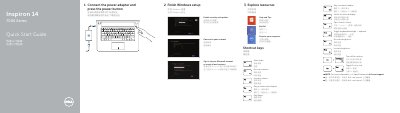
Dell Inspiron 14 7000 Series Quick Start Guide
This Dell Quick Start Guide helps users set up the Inspiron 14 7000 Series laptop, identified in the document as computer model Inspiron 7447. It covers connecting the power adapter, finishing Windows setup, signing in to a Microsoft account, connecting to a network, and registering the computer.
The guide lists shortcut keys and features such as USB ports, HDMI, and media-card reader. It also provides support links at dell.com/support and identifies the regulatory model as P55G and regulatory type as P55G001.
Dell Inspiron 7447 specifications
| Regulatory model | P55G |
|---|---|
| Regulatory type | P55G001 |
| Computer model | Inspiron 7447 |
All Dell Inspiron 7447 documents by type
The shortest path to a working setup, usually only a few pages.
Disassembly, diagnostics and part numbers, for repair.
Questions answered in these manuals
What is the computer model?
The computer model is Inspiron 7447.
What is the regulatory model?
The regulatory model is P55G.
What should I do before working inside the computer?
Save and close all open files, shut down the computer, disconnect it and attached devices from power, disconnect all cables and peripherals, and remove any media card or optical disc.
From: Dell Inspiron 14 7000 Series (Inspiron 7447) Service Manual
Who is authorized to remove the computer cover?
Only a certified service technician is authorized to remove the computer cover and access components inside the computer.
From: Dell Inspiron 14 7000 Series (Inspiron 7447) Service Manual