
Key facts
- Brand
- DELL
- Model
- W-AP110 Series
- Category
- Other network devices
- Documents
- 5
- Languages
- ZH · EN
- Last added
- 2023-11-26
Start here
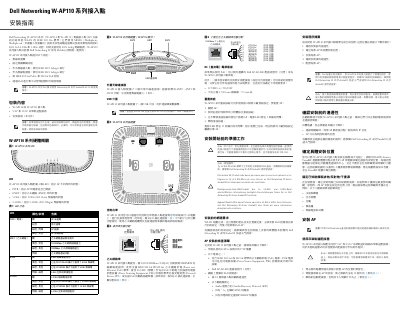
Dell Networking W-AP110 Series Access Point Installation Guide
The Dell Networking W-AP110 Series Installation Guide covers the W-AP114 and W-AP115 wireless access points, which support IEEE 802.11n operation in the 2.4 GHz and 5 GHz bands with MIMO. The access points work with Dell Networking W Series Mobility Controllers and require ArubaOS 6.3.1.0 or later.
The guide describes package contents, LED indicators for power, Ethernet, 5 GHz, and 2.4 GHz, the W-AP114 external antenna connectors, the USB interface, the RJ-45 console port, the 10/100/1000Base-T Ethernet port with 802.3af/802.3at PoE, the DC power socket, and the reset button. It also summarizes pre-installation network requirements, the five installation tasks, and mounting with ceiling rail adapters. This manual is written in Chinese.
Dell W-AP110 Series specifications
| Ethernet port | 10/100/1000Base-T RJ-45, auto-sensing MDI/MDX |
|---|---|
| PoE support | IEEE 802.3af PoE and IEEE 802.3at PoE+ |
| PoE input voltage | 48 VDC |
| DC power input | 12 VDC (+/- 5%), 18 W |
| Console port | RJ-45 serial console port |
| LEDs | 4 LEDs: PWR, ENET, 5 GHz, and 2.4 GHz |
| USB interface with 802.3af PoE | Disabled when powered through 802.3af PoE |
Source: Dell Networking W-AP110 Series Access Point Installation Guide
All Dell W-AP110 Series documents by type
Mounting, wiring and first power-up. Read it before the hardware goes in.
Questions answered in these manuals
What controller software version is required?
The access points require Dell Networking W Series ArubaOS 6.3.1.0 or later.
From: Dell Networking W-AP110 Series Access Point Installation Guide
What DC power input does the AP require when not using PoE?
When not using PoE, the AP can be powered by an optional Dell AP AC-DC adapter or a local AC-to-DC adapter rated 12 VDC (+/- 5%)/18W.
From: Dell Networking W-AP110 Series Access Point Installation Guide
What wireless standards does the Dell W-AP110 support?
It supports IEEE 802.11a/b/g/n.
From: Dell Networking W-AP110 Series Access Point Installation Guide
What Power over Ethernet standards does the W-AP110 support?
It supports IEEE 802.3at PoE+ and 802.3af PoE.
From: Dell Networking W-AP110 Series Access Point Installation Guide
What is included in the package?
The package includes the W-AP114 or W-AP115 access point, 9/16\" and 15/16\" ceiling rail adapters, and the installation guide.
How do I reset the access point to factory defaults?
Power off the AP, press and hold the reset button with a narrow object while powering on, then release after the power LED flashes; the AP reboots using factory default settings.