
Key facts
- Brand
- DELL
- Model
- OptiPlex 3240 All-in-One
- Category
- All-in-One Desktops
- Documents
- 7
- Languages
- EN
- Last added
- 2023-11-24
Start here
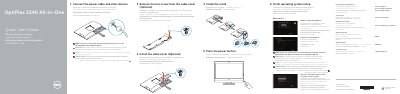
Dell OptiPlex 3240 All-in-One Quick Start Guide
This document serves as a Quick Start Guide for the Dell OptiPlex 3240 All-in-One computer. It provides multilingual instructions for initial setup, including connecting power cables, attaching the optional cable cover, and installing the stand. The guide also covers the first steps of operating system setup and network connection.
Read onlineDell OptiPlex 3240 All-in-One specifications
| Computer model | OptiPlex 3240 AIO |
|---|---|
| Regulatory model | W14B |
| Regulatory type | W14B001 |
All Dell OptiPlex 3240 All-in-One documents by type
The shortest path to a working setup, usually only a few pages.
- Dell OptiPlex 3240 All-in-One Quick Start Guide 2 p
- Dell OptiPlex 3240 All-in-One Quick Start Guide 2 p
- Dell OptiPlex 3240 All-in-One Quick Start Guide 2 p
- Dell OptiPlex 3240 All-in-One Quick Start Guide 2 p
- Dell OptiPlex 3240 All-in-One Quick Start Guide 2 p
- Dell OptiPlex 3240 All-in-One Quick Start Guide 2 p
Day-to-day operation, settings and troubleshooting. Start here if the product is already set up.
Questions answered in these manuals
Is installing the cable cover required?
Installing the cable cover is optional.
How do you turn on the computer?
Press the power button.
How do I set up the OptiPlex 3240 All-in-One for the first time?
Connect the power cable and other devices, install the stand, and press the power button.
What should I do after turning on the computer?
Finish operating system setup, enable security and updates, connect to your network, and sign in to a Microsoft account or create a local account.
What should I do if I am connecting a wireless keyboard or mouse?
Consult the documentation that shipped with the wireless keyboard or mouse.
How do I connect to a secured wireless network during setup?
Enter the password for the wireless network access when prompted.