
The Dell OptiPlex 3046 Small Form Factor Quick Start Guide provides information on how to set up and use the Dell OptiPlex 3046 Small Form Factor.
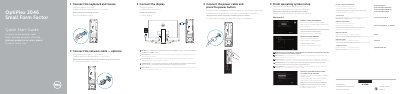
This guide covers initial setup of the Dell OptiPlex 3046 SFF, including connecting the keyboard, mouse, display, network cable, and power cable, then finishing operating system setup and signing in.
It also identifies the computer's features and connectors and lists Dell support, registration, backup, data protection, and SupportAssist resources, with notes for secured wireless networks, discrete graphics cards, and Windows 7 to Windows 10 upgrades.
| Computer model | OptiPlex 3046 SFF |
|---|---|
| Regulatory model | D11S |
| Regulatory type | D11S001 |
| USB 2.0 connectors | Included |
| USB 3.0 connectors | Included |
| HDMI connector | Included |
| DisplayPort connector | Included |
| VGA connector | Optional |
| Memory card reader | Optional |
| Network connector | Included |
Enter the password for the wireless network access when prompted.
Connect the display to the discrete graphics card.
A manual installation of the system drivers is required.
Visit Dell.com/support and enter the service tag of your system.