
Key facts
Start here
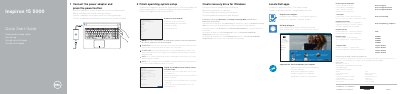
Dell Inspiron 15 5000 Notebook Quick Start Guide
This quick start guide covers initial setup of Dell Inspiron 15 5000 notebooks, including connecting the power adapter, completing operating system setup, connecting to a network, signing in to a Microsoft account, and creating a Windows recovery drive.
It also identifies notebook features and shortcut keys, and provides regulatory, safety, and supported computer model information.
Dell Inspiron 15 5000 specifications
| Regulatory model | P51F |
|---|---|
| Power supply voltage | 100 V AC-240 V AC |
| Frequency | 50 Hz-60 Hz |
| Input current | 1.50 A/1.60 A/1.70 A |
| Output voltage | 19.50 V DC |
| Output current | 2.31 A/3.34 A |
| Country of origin | Made in China |
| Computer models | Inspiron 15-5551, Inspiron 15-5552, Inspiron 15-5555, Inspiron 15-5558 |
All Dell Inspiron 15 5000 documents by type
Disassembly, diagnostics and part numbers, for repair.
- Dell Inspiron 15 5000 2-in-1 Laptop Service Manual 85 p
- Dell Inspiron 15 5000 Service Manual 99 p
- Dell Inspiron 15 5000 Service Manual 98 p
- Dell Inspiron 15 5000 Service Manual 100 p
- Dell Inspiron 15 5000 Gaming Laptop Service Manual 110 p
- Dell Inspiron 15 5000 Service Manual 102 p
- Inspiron 15 5000 Series Service Manual 100 p
- Dell Inspiron 15 5000 Service Manual 144 p
- Dell Inspiron 15 5000 Series Notebook Service Manual 56 p
- Dell Inspiron 15 5000 Series Service Manual 104 p
- Dell Inspiron 15 5000 Series Service Manual 56 p
- Dell Inspiron 15 5000 Series (Inspiron 5547) Notebook Owner's Manual 93 p
- Dell Inspiron 15 5000 Series 5559 Service Manual 103 p
- Dell Inspiron 15 5000 Series 5547 Laptop Service Manual 88 p
- Dell Inspiron 15 5000 Computer Service Manual 107 p
The shortest path to a working setup, usually only a few pages.
Questions answered in these manuals
What is the ePSA diagnostic program?
The ePSA (Enhanced Pre-boot System Assessment) is a diagnostic program embedded in the BIOS that performs a comprehensive check of the hardware.
What tools are recommended for servicing this laptop?
A No. 1 screwdriver and a plastic scribe.
What tools are recommended before working inside the computer?
A Phillips screwdriver #1 and a plastic scribe are recommended.
How do you run the ePSA diagnostics?
Turn on the computer, press F12 when the Dell logo appears, then select Diagnostics on the boot menu.
How do I connect to a secured wireless network?
Enter the password for the wireless network access when prompted.
How do I create a Windows recovery drive?
In Windows search, type Recovery, click Create a recovery drive, and follow the instructions on the screen.