
Key facts
- Brand
- DELL
- Model
- Wyse 5060
- Category
- Other Computer Accessories
- Documents
- 7
- Languages
- EN · MUL
- Last added
- 2023-11-25
Start here
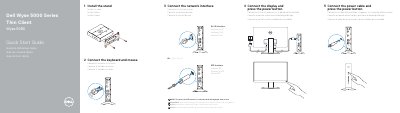
Dell Wyse 5000 Series Thin Client Wyse 5060 Quick Start Guide
This guide provides step-by-step instructions to install the stand, connect peripherals, and power on the Wyse 5060 thin client. It details ports including USB, DisplayPort, network, and optional SFP interfaces. The device supports 10/100/1000 Base-T networking and includes regulatory compliance information for Mexico (NOM).
Read onlineDell Wyse 5060 specifications
| Regulatory Model | N07D |
|---|---|
| Regulatory Type | N07D001 |
| Computer Model | Wyse 5060 |
| Input Voltage | 100 VAC–240 VAC |
| Input Current (Max) | 1.7 A |
| Input Frequency | 50 Hz–60 Hz |
| Output Current | 3.34 A |
| Output Voltage | 19.5 V |
Source: Dell Wyse 5000 Series Thin Client Wyse 5060 Quick Start Guide
All Dell Wyse 5060 documents by type
The shortest path to a working setup, usually only a few pages.
- Dell Wyse 5000 Series Thin Client Wyse 5060 Quick Start Guide 2 p
- Dell Wyse 5000 Series Thin Client Wyse 5060 Quick Start Guide 2 p
- Dell Wyse 5000 Series Thin Client Wyse 5060 Quick Start Guide 2 p
- Dell Wyse 5000 Series Thin Client Wyse 5060 Quick Start Guide 2 p
- Dell Wyse 5000 Series Thin Client Wyse 5060 Quick Start Guide 2 p
Day-to-day operation, settings and troubleshooting. Start here if the product is already set up.
Questions answered in these manuals
How do I connect the power cable?
Connect the power cable and press the power button.
From: Dell Wyse 5000 Series Thin Client Wyse 5060 Quick Start Guide
What ports are available on the Wyse 5060?
Available ports include USB 2.0, USB 3.1 Gen 1, DisplayPort, network (10/100/1000 Base-T), and optional SFP interface.
From: Dell Wyse 5000 Series Thin Client Wyse 5060 Quick Start Guide
What are the default administrator login credentials?
The default user name is Admin and the default case-sensitive password is DellCCCvdi.
From: Dell Wyse 5060 thin client Windows 10 IoT Enterprise Administrator's Guide
What must be disabled before changing a password on the thin client?
Disable the Unified Write Filter (UWF) before changing the password, then enable it again afterward.
From: Dell Wyse 5060 thin client Windows 10 IoT Enterprise Administrator's Guide
What thin client and operating system does this guide cover?
It covers the Wyse 5060 thin client running Dell Wyse Enhanced Windows Embedded Standard 7P (64-bit).
From: Dell Wyse Enhanced Windows Embedded Standard 7P for Wyse 5060 Thin Client Administrator's Guide
What are the default administrator and user passwords?
Both the default Administrator and User passwords are DellCCCvdi.
From: Dell Wyse Enhanced Windows Embedded Standard 7P for Wyse 5060 Thin Client Administrator's Guide