
Key facts
- Brand
- DELL
- Model
- Edge Gateway 5000 Series
- Category
- Other network devices
- Documents
- 7
- Languages
- ID · EN · ES
- Last added
- 2023-11-24
Start here
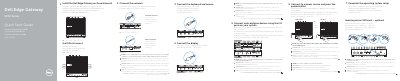
Dell Edge Gateway 5000 Series Quick Start Guide
This document provides a quick start guide for the Dell Edge Gateway 5000 Series. It covers the initial setup process, including inserting an optional micro-SIM card, connecting the wireless antenna, and mounting the device on a wall or DIN rail. The guide also details how to connect peripherals like keyboards and mice, and how to attach the power adapter.
Read onlineDell Edge Gateway 5000 Series specifications
| Power adapter port voltage | +24V AC/DC or +19 VDC |
|---|---|
| Video output | HDMI |
| Network connectivity | Network port |
All Dell Edge Gateway 5000 Series documents by type
Disassembly, diagnostics and part numbers, for repair.
The shortest path to a working setup, usually only a few pages.
Questions answered in these manuals
How do you prepare before working inside the Dell Edge Gateway?
Save and close all open files, exit open applications, and shut down the system. Unplug the computer and all attached devices from power.
How do you discharge the system board?
After disconnecting the system, press and hold the power button for 5 seconds.
Should I insert the micro-SIM card before powering on the device?
Yes, it is recommended to insert the micro-SIM card before powering on the Dell Edge Gateway.
Are the wireless antenna, keyboard, and mouse included?
No, the peripherals like wireless antenna, keyboard, and mouse are sold separately.
Should I insert the micro-SIM card before powering on the device?
Yes, it is recommended to insert the micro-SIM card before powering on the Dell Edge Gateway.
Are the peripherals sold separately?
Yes, peripherals like the wireless antenna, keyboard, and mouse are sold separately.