
Key facts
Start here
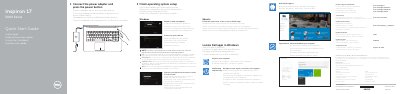
Dell Inspiron 17-5759 Laptop Quick Start Guide
The Dell Inspiron 17-5759 Quick Start Guide provides essential instructions for setting up the laptop, including connecting power, configuring the operating system, and connecting to a network.
It includes a detailed map of the device's hardware features, such as ports and indicators, as well as a reference for the laptop's shortcut keys for audio, display, and system control.
Dell Inspiron 17-5759 specifications
| Input Voltage | 100 V AC–240 V AC |
|---|---|
| Frequency | 50 Hz–60 Hz |
| Output Voltage | 19.50 V DC |
All Dell Inspiron 17-5759 documents by type
The shortest path to a working setup, usually only a few pages.
- Dell Inspiron 17-5759 Laptop Quick Start Guide 2 p
- Dell Inspiron 17-5759 Laptop Quick Start Guide 2 p
- Dell Inspiron 17-5759 Quick Start Guide 2 p
- Dell Inspiron 17-5759 Laptop Quick Start Guide 2 p
- Dell Inspiron 17-5759 Laptop Quick Start Guide 2 p
- Dell Inspiron 17-5759 Laptop Quick Start Guide 2 p
- Dell Inspiron 17-5759 Laptop Quick Start Guide 2 p
- Dell Inspiron 17-5759 Notebook Quick Start Guide 2 p
- Dell Inspiron 17-5759 Laptop Quick Start Guide 2 p
- Dell Inspiron 17 5000 Series (Inspiron 17-5759) Quick Start Guide 2 p
- Dell Inspiron 17-5759 Laptop Quick Start Guide 2 p
- Dell Inspiron 17-5759 Quick Start Guide 2 p
- Dell Inspiron 17-5759 Laptop Quick Start Guide 2 p
Disassembly, diagnostics and part numbers, for repair.
Questions answered in these manuals
How do I start the laptop for the first time?
Connect the power adapter and press the power button.
What should I do if I am connecting to a secured wireless network?
Enter the password for the wireless network access when prompted.
What should I do before working on the computer's internal components?
Save and close all open files, exit running applications, shut down the computer, disconnect power and peripherals, and remove any flash cards or optical discs.
From: Dell Inspiron 17 5000 Series (Inspiron 17-5759) Service Manual
When should I update the BIOS?
Update it when a BIOS update is available or after replacing the system board.
From: Dell Inspiron 17 5000 Series (Inspiron 17-5759) Service Manual
How do I start setting up the Dell Inspiron 17-5759?
Connect the power adapter and press the power button to begin.
How do I set up a Windows password on the Dell Inspiron 17-5759?
Set up the password for Windows during the initial setup process.