
Key facts
Start here
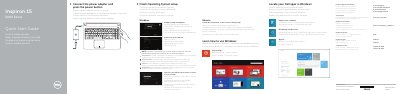
Dell Inspiron 15-5558 and 15-5551 Notebook Quick Start Guide
This document serves as a quick start guide for the Dell Inspiron 15-5558 and Inspiron 15-5551 notebooks. It provides multilingual instructions for initial setup, including connecting the power adapter, enabling security updates, and signing into a Microsoft account or creating a local one. The guide also covers finishing the setup for the Ubuntu operating system. This manual is written in Czech.
Read onlineDell Inspiron 15-5551 specifications
| Height (touchscreen) | 24.05 mm (0.95 in) |
|---|---|
| Height (non-touchscreen) | 23.75 mm (0.94 in) |
| Width | 380 mm (14.96 in) |
| Depth | 260.40 mm (10.25 in) |
| Weight (touchscreen, max) | 2.39 kg (5.27 lb) |
| Weight (non-touchscreen, max) | 2.24 kg (4.94 lb) |
| Processor options (Inspiron 15-5558) | Intel Celeron dual-core; Intel Pentium quad-core; 4th-gen Intel Core i3; 5th-gen Intel Core i3/i5/i7 |
| Processor options (Inspiron 15-5551) | Intel Celeron dual-core; Intel Pentium quad-core |
| Chipset | Integrated in processor |
| Memory slots (Inspiron 15-5558) | Two SODIMM slots |
| Memory slots (Inspiron 15-5551) | One SODIMM slot |
| Memory type (Inspiron 15-5558) | Dual-channel DDR3L |
| Memory type (Inspiron 15-5551) | Single-channel DDR3L |
| Memory speed | 1600 MHz |
| Supported memory (Inspiron 15-5558) | 2, 4, 6, 8, 12, 16 GB |
| Supported memory (Inspiron 15-5551) | 2, 4, 8 GB |
| External ports | One RJ45 (5558 only), one USB 3.0, two USB 2.0, one HDMI, one headphone/microphone combo |
| Internal slot | One NGFF slot for Wi-Fi and Bluetooth combo card |
| Ethernet | 10/100 Mbps Ethernet controller integrated on system board |
| Wireless | Wi-Fi 802.11ac, Wi-Fi 802.11b/g/n, Bluetooth 4.0, Intel WiDi (Windows only) |
| Graphics (Inspiron 15-5558) | Integrated Intel HD Graphics/HD Graphics 4400/HD Graphics 5500; discrete NVIDIA GeForce 920M |
| Graphics (Inspiron 15-5551) | Integrated Intel HD Graphics |
| Video memory (discrete) | Up to 4 GB DDR3L |
| Video memory (integrated) | Shared system memory |
| Audio controller | Realtek ALC3234 with Waves MaxxAudio |
| Speakers | Two; 2 W average, 2.2 W peak |
| Microphone | Single microphone (5551); digital array microphone (5558) |
| Volume control | Media control shortcut keys |
| Touchpad resolution | 1211 dpi horizontal, 1267 dpi vertical |
| Touchpad size | 105 mm (4.13 in) wide, 80 mm (3.15 in) high |
| Battery type | 4-cell smart lithium-ion (40 WHr or 47 WHr) |
| Battery dimensions | 270 mm wide, 37.5 mm thick, 20 mm high |
| Battery weight | 0.25 kg (40 WHr), 0.26 kg (47 WHr) |
| Battery voltage | 14.8 VDC |
| Charge time | About 4 hours with computer off |
| Battery life | About 300 discharge/charge cycles |
| Battery temperature range | 0 to 35 C in use; -40 to 65 C in storage |
| Coin cell | CR-2032 |
| Input voltage | 100-240 VAC |
| Input frequency | 50-60 Hz |
| Input current (max) | 1.30 A (45 W); 1.60/1.70 A (65 W) |
| Output current (max) | 2.31 A (45 W); 3.34 A (65 W) |
| Rated output voltage | 19.50 VDC |
| Adapter temperature range | 0 to 40 C in use; -40 to 70 C in storage |
| Airborne contaminant level | G1 (per ISA-S71.04-1985) |
| Operating temperature | 0 to 35 C |
| Storage temperature | -40 to 65 C |
| Relative humidity (max) | 10-90% operating (no condensation); 0-95% storage |
| Vibration (max) | 0.66 GRMS operating; 1.30 GRMS storage |
| Altitude (max) | -15.2 to 3048 m operating; -15.2 to 10668 m storage |
Source: Dell Inspiron 15-5558/5551 Laptop Views and Specifications
All Dell Inspiron 15-5551 documents by type
The shortest path to a working setup, usually only a few pages.
- Dell Inspiron 15-5558 and 15-5551 Notebook Quick Start Guide 2 p
- Dell Inspiron 15 5000 Series Quick Start Guide 2 p
- Dell Inspiron 15-5558 and 15-5551 Notebook Quick Start Guide 2 p
- Dell Inspiron 15-5558 and Inspiron 15-5551 Laptop Quick Start Guide 2 p
- Dell Inspiron 15-5558 and Inspiron 15-5551 Notebook Quick Start Guide 2 p
Day-to-day operation, settings and troubleshooting. Start here if the product is already set up.
Disassembly, diagnostics and part numbers, for repair.
Questions answered in these manuals
Which Dell Inspiron models are covered by this guide?
This guide applies to the Inspiron 15-5558 and Inspiron 15-5551 notebook models.
From: Dell Inspiron 15-5558 and 15-5551 Notebook Quick Start Guide
What is the regulatory model number for this computer?
The regulatory model number for this computer is P51F.
From: Dell Inspiron 15-5558 and 15-5551 Notebook Quick Start Guide
Which specific Dell Inspiron models does this quick start guide cover?
This guide is for the Inspiron 15-5558 and Inspiron 15-5551 notebook models.
From: Dell Inspiron 15-5558 and 15-5551 Notebook Quick Start Guide
What steps are required to connect the computer to a secured wireless network?
You must enter the password for the wireless network access when prompted.
From: Dell Inspiron 15-5558 and 15-5551 Notebook Quick Start Guide
Which Inspiron 15 models does this specification sheet cover?
It covers the Inspiron 15-5558 and Inspiron 15-5551.
From: Dell Inspiron 15-5558/5551 Laptop Views and Specifications
Does the Inspiron 15-5558 have an Ethernet port?
Yes, one RJ45 port is listed for the Inspiron 15-5558 only.
From: Dell Inspiron 15-5558/5551 Laptop Views and Specifications