
Key facts
Start here
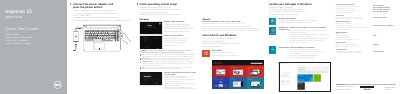
Dell Inspiron 15-5552 Laptop Quick Start Guide
This quick start guide helps you connect the power adapter, turn on the Dell Inspiron 15-5552, and finish operating system setup. It also lists steps for connecting to a network, signing in, enabling security and updates, and using Dell support and recovery tools.
The guide includes a labeled features diagram and a shortcut-key reference for audio, brightness, wireless, sleep, and other functions. It also provides product support, regulatory, and safety information links.
Dell Inspiron 15-5552 specifications
| USB 3.0 port | 1 |
|---|---|
| USB 2.0 ports | 2 |
| HDMI port | 1 |
| Optical drive | 1 |
| Media-card reader | 1 |
| Headset port | 1 |
| Security-cable slot | 1 |
| Camera | 1 |
All Dell Inspiron 15-5552 documents by type
The shortest path to a working setup, usually only a few pages.
- Dell Inspiron 15-5552 Laptop Quick Start Guide 2 p
- Dell Inspiron 15-5552 Laptop Quick Start Guide 2 p
- Dell Inspiron 15-5552 Laptop Quick Start Guide 2 p
- Dell Inspiron 15-5552 Laptop Quick Start Guide 2 p
- Dell Inspiron 15-5552 Laptop Quick Start Guide 2 p
- Dell Inspiron 15-5552 Quick Start Guide 2 p
- Dell Inspiron 15-5552 Laptop Quick Start Guide 2 p
- Dell Inspiron 15-5552 Laptop Quick Start Guide 2 p
- Dell Inspiron 15-5552 Quick Start Guide 2 p
- Dell Inspiron 15-5552 Computer Quick Start Guide 2 p
- Dell Inspiron 15-5552 Laptop Quick Start Guide 2 p
- Dell Inspiron 15-5552 Quick Start Guide 2 p
Disassembly, diagnostics and part numbers, for repair.
Day-to-day operation, settings and troubleshooting. Start here if the product is already set up.
Questions answered in these manuals
How do I turn on the laptop?
Connect the power adapter and press the power button.
How do I finish operating system setup?
Follow the instructions on the screen to finish setup.
What is the computer model?
The computer model is Inspiron 15-5552.
How do you start the computer?
Connect the power adapter and press the power button.
How do I remove the battery from the Dell Inspiron 15–5552?
Remove the battery by following the procedure outlined in the manual, which includes steps for safely disconnecting and removing the battery unit.
What are the regulatory model and regulatory type for the Inspiron 15-5552?
The regulatory model is P51F and the regulatory type is P51F005.