
Key facts
Start here
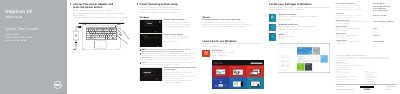
Dell Inspiron 14-5455 Laptop Quick Start Guide
This document serves as a multilingual Quick Start Guide for the Dell Inspiron 14-5455 laptop. It provides instructions for connecting the power adapter, finishing the operating system setup, and enabling security features. The guide includes specific regulatory information for the Mexican market (NOM) and directs users to dell.com/support for further assistance.
Read onlineDell Inspiron 14-5455 specifications
| Input Voltage | 100 V CA–240 V CA |
|---|---|
| Input Frequency | 50 Hz–60 Hz |
| Input Current | 1,30 A/1,60 A/1,70 A |
| Output Voltage | 19,50 V DC |
| Output Current | 2,31 A/3,34 A |
| Origin | Made in China |
All Dell Inspiron 14-5455 documents by type
The shortest path to a working setup, usually only a few pages.
Disassembly, diagnostics and part numbers, for repair.
Questions answered in these manuals
What is the input voltage range for this laptop?
The input voltage range is 100 V CA to 240 V CA.
Where can I find more specifications?
For more information, see Specifications at dell.com/support.
Where can I find more specifications for this computer?
See Specifications at dell.com/support.
From: Dell Inspiron 14 5000 Series (Inspiron 14-5455) Quick Start Guide
How do I learn about the features and advanced options?
Click Start, then All Programs, then Dell Help Documentation.
From: Dell Inspiron 14 5000 Series (Inspiron 14-5455) Quick Start Guide
What should I do before working inside the computer?
Save and close all open files, shut down the computer, disconnect power and cables, remove media, and follow the safety instructions.
From: Dell Inspiron 14 5000 Series (Inspiron 14-5455) Service Manual
How do I flash the BIOS?
Turn on the computer, go to dell.com/support, enter the Service Tag, download the BIOS file, and follow the on-screen instructions.
From: Dell Inspiron 14 5000 Series (Inspiron 14-5455) Service Manual