
Key facts
Start here
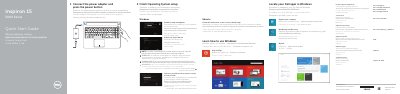
Dell Inspiron 15-5555 Laptop Quick Start Guide
This guide helps you set up your Dell Inspiron 15-5555 laptop. Connect the power adapter and press the power button to start. Follow on-screen instructions to configure the operating system, enable security and updates, and connect to your network. The guide also includes a diagram of the laptop’s ports and features for quick reference.
Read onlineDell Inspiron 15-5555 specifications
| Power-adapter port | 1 |
|---|---|
| Network port | 1 |
| HDMI port | 1 |
| USB 3.0 port | 1 |
| Media-card reader | 1 |
| USB 2.0 ports | 2 |
| Optical drive | 1 |
| Headset port | 1 |
All Dell Inspiron 15-5555 documents by type
Disassembly, diagnostics and part numbers, for repair.
The shortest path to a working setup, usually only a few pages.
- Dell Inspiron 15-5555 Laptop Quick Start Guide 2 p
- Dell Inspiron 15-5555 Laptop Quick Start Guide 2 p
- Dell Inspiron 15-5555 Laptop Quick Start Guide 2 p
- Dell Inspiron 15-5555 Laptop Quick Start Guide 2 p
- Dell Inspiron 15-5555 Quick Start Guide 2 p
- Dell Inspiron 15-5555 Laptop Quick Start Guide 2 p
- Dell Inspiron 15-5555 Notebook Quick Start Guide 2 p
- Dell Inspiron 15-5555 Quick Start Guide 2 p
- Dell Inspiron 15-5555 Quick Start Guide 2 p
Day-to-day operation, settings and troubleshooting. Start here if the product is already set up.
Questions answered in these manuals
How do I safely remove the battery from the Dell Inspiron 15-5555?
Remove the battery by following the procedure outlined in the manual, which includes disconnecting power and using the specified tools to release the battery from its compartment.
What safety precautions should I follow when working on internal components?
Handle components by the edges to avoid touching pins and contacts. Ensure the computer is powered off, unplugged, and grounded before starting any work.
How do I connect to my network?
Connect to your network by following the on-screen instructions. If connecting to a secured wireless network, enter the password when prompted.
What operating systems are supported?
The guide supports Windows and Ubuntu operating systems, with instructions for setting up both Microsoft and local accounts.
What should I do before working inside the computer?
Save and close all open files, shut down the computer, unplug it, disconnect cables and peripherals, remove media and optical discs, then press and hold the power button for about 5 seconds.
From: Dell Inspiron 15 5000 Series (Inspiron 15-5555) Service Manual
How do I flash the BIOS?
Turn on the computer, visit dell.com/support, enter the Service Tag, open Drivers & downloads, select BIOS, download the latest BIOS file, then run it.
From: Dell Inspiron 15 5000 Series (Inspiron 15-5555) Service Manual