
Key facts
Start here
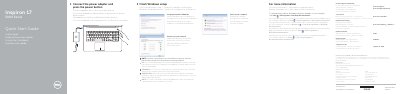
Dell Inspiron 17 5000 Series Quick Start Guide
This quick start guide helps set up Windows on the Dell Inspiron 17 5000 Series, including connecting power, creating a password, and connecting to a network.
It also identifies the computer's features and shortcut keys and provides product support, manual, and regulatory information.
Dell Inspiron 17 5000 Series specifications
| Input voltage | 100 V AC-240 V AC |
|---|---|
| Frequency | 50 Hz-60 Hz |
| Input current | 1.30 A/1.60 A/1.70 A |
| Output voltage | 19.50 V DC |
| Output current | 2.31 A/3.34 A |
All Dell Inspiron 17 5000 Series documents by type
Disassembly, diagnostics and part numbers, for repair.
- Dell Inspiron 17 5000 Series Notebook Service Manual 119 p
- Dell Inspiron 17 5000 Series Laptop Service Manual 91 p
- Dell Inspiron 17 5000 Series Laptop Service Manual 121 p
- Dell Inspiron 17 5000 Series Service Manual 95 p
- Dell Inspiron 17 5000 Series Service Manual 98 p
- Dell Inspiron 17 5000 Series Service Manual 93 p
- Dell Inspiron 17 5000 Series Owner's Manual 93 p
The shortest path to a working setup, usually only a few pages.
Questions answered in these manuals
What safety precautions should be taken before working inside the computer?
To avoid damage to components and boards, hold them by the edges and avoid touching pins and electrical contacts.
When is it necessary to update the BIOS?
It may be necessary to update the BIOS when an update is available or after replacing the system board.
How do I finish Windows setup?
Connect the power adapter, press the power button, set a Windows password, and connect to your network.
Where can I learn about features and advanced options?
Click Start, then All Programs, then Dell Help Documentation.
What is the regulatory model number for the Inspiron 17 5000 Series?
The regulatory model number is P26E.
How many battery release latches are on the bottom of the computer?
There are two battery release latches.